

Most advice on gmail email marketing is still stuck in the old game: sneak into Primary, blast harder, hope the metrics look good. That approach is finished. Gmail now rewards authenticated senders, low complaint rates, clean unsubscribe behavior, and messages that feel relevant enough for people to keep engaging with (Google's sender guidelines) and (Google's sender FAQ).
That matters because Gmail is still the world's leading email provider, with roughly 2 billion handsets accessing the app each month. It also matters because email continues to produce serious commercial value: Litmus's 2025 ROI data shows many teams still see strong returns per dollar spent, and Constant Contact's 2025 small-business study found 44% of SMBs now call email their most effective marketing channel.
So the opportunity is not to outsmart Gmail. It is to build a program that fits how Gmail actually evaluates mail, how subscribers actually behave in the inbox, and how modern email teams actually win with segmentation, personalization, and automation (Oracle's 2025 email marketing trends analysis) and (Litmus's 2024 State of Email Trends report).
Article Outline
This article is built as one system, not six disconnected essays. We start with the strategic case for Gmail email marketing, then move into the framework that makes the channel work, and then into execution. By the end, you will have a practical model for building a program that is easier to send, easier to measure, and much harder for Gmail to distrust.
- Why Gmail Email Marketing Still Matters
- The Gmail Email Marketing Framework
- Building the Core Components of a High-Trust Program
- Writing and Designing Campaigns for the Gmail Experience
- Professional Implementation: Deliverability, Authentication, and Operations
- Measuring Performance, Optimizing Revenue, and Final FAQs
Why Gmail Email Marketing Still Matters
Gmail is not just another inbox. For a huge number of brands, it is the inbox that sets the tone for deliverability, complaint management, creative presentation, and sender reputation, which is why Google gives senders direct access to Postmaster Tools for spam rate, compliance, and diagnostics and explains those dashboards in its official Postmaster documentation. When Google changes the rules, the market usually adjusts fast.
That shift is already here. Google requires all senders to authenticate with SPF or DKIM, and it requires bulk senders to use SPF, DKIM, and DMARC. Google defines a bulk sender as anyone sending close to 5,000 messages or more to personal Gmail accounts within 24 hours, treats that status as permanent once assigned, and expects promotional mail to support one-click unsubscribe while keeping spam complaints below 0.1% and never reaching 0.3%.
What makes Gmail email marketing interesting is that the platform is not telling marketers to stop sending promotions. It is telling them to send promotional email in a more trustworthy, more structured way. Google's own developer docs show that promotional messages can become richer merchandising surfaces through image previews, product carousels, deal annotations, and deal cards inside the Promotions tab, which changes the job from trying to avoid Promotions at all costs to earning attention where commercial intent already exists.
That view also matches the wider market. In Litmus's 2024 State of Email Trends report, more than 90% of surveyed marketers said segmentation boosted performance, and more than 80% reported gains from subject-line personalization, real-time content, and dynamic personalization. In Oracle's 2025 trends survey, personalization, segmentation, and triggered automation were again ranked among the highest-impact email tactics, which is exactly the mix Gmail tends to reward because it produces better engagement and fewer complaints.
The Gmail Email Marketing Framework
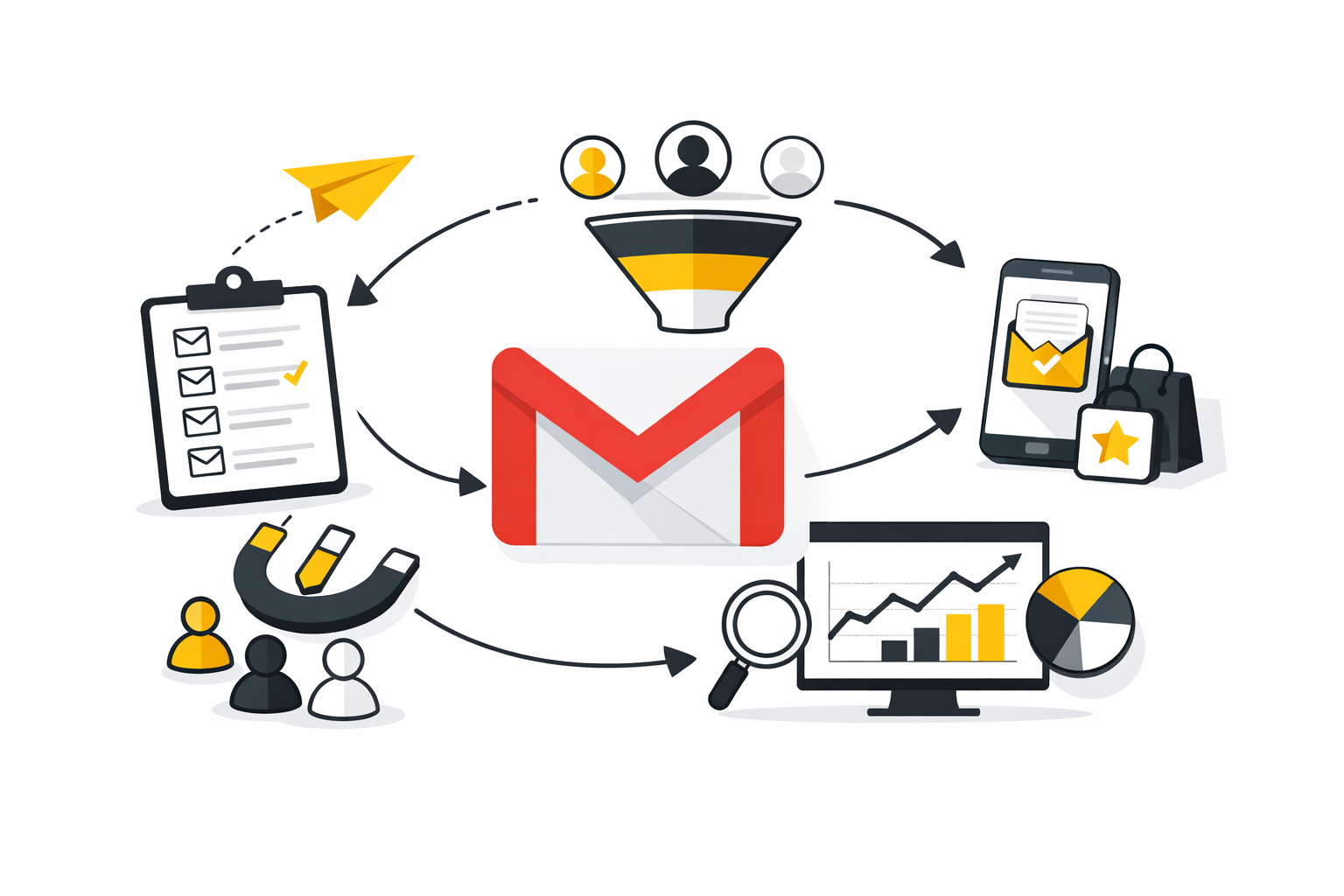
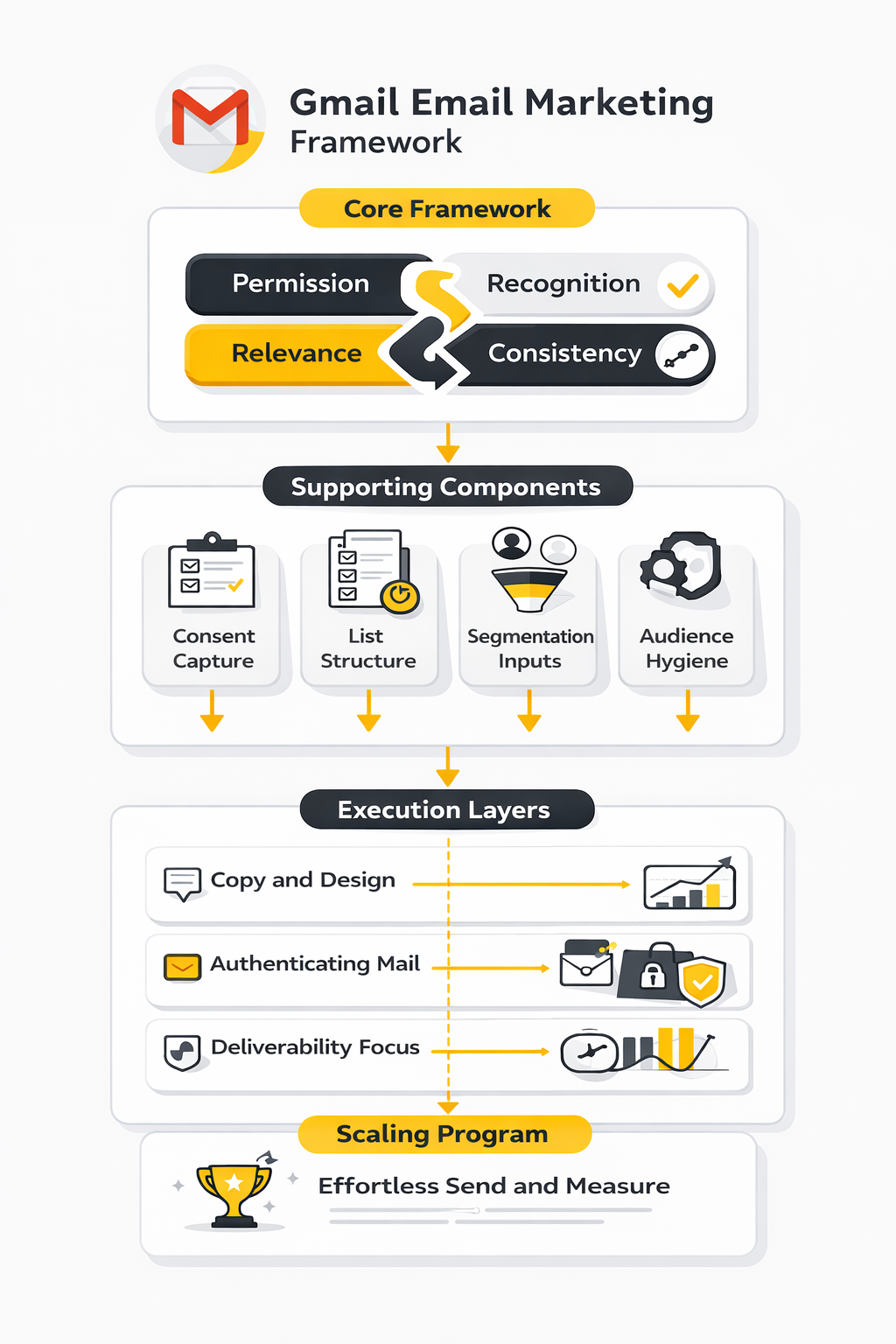
The framework in this guide is simple: permission, recognition, relevance, and consistency. Permission means you are emailing people who clearly asked to hear from you. Recognition means Gmail can verify who you are through authentication and clear sender identity. Relevance means the message fits the subscriber's context. Consistency means you send at a cadence and quality level that protects your reputation over time (Google's sender guidelines) and (Litmus's deliverability guide).
This is where most teams go wrong. They buy a tool, import a list, write a few campaigns, and then try to solve weak performance with more volume. Gmail's rules point in the opposite direction: lower complaints, cleaner list management, faster unsubscribes, stronger authentication, and better targeting (Google's sender FAQ). The channel gets healthier when the strategy gets narrower and sharper, not louder.
The rest of the article follows that logic. First, we will build the core components of a high-trust program: consent capture, list structure, segmentation inputs, and audience hygiene. Then we will move into copy, design, and the Gmail-specific presentation layer, including when promotional formatting and annotations can help a campaign stand out (Google's Promotions annotations documentation) and when dynamic experiences through AMP for Gmail are worth the extra effort.
At the execution level, the software matters far less than most people think, but it still matters. Platforms like Brevo, Moosend, or an all-in-one stack like GoHighLevel can handle automation, segmentation, and sending, but none of them can rescue a program built on weak consent or irrelevant offers. The winning setup is the one that makes your segmentation cleaner, your sending discipline tighter, and your reporting easier to act on.
There is one more mindset shift that matters before we go deeper. Gmail email marketing is not a copywriting trick, and it is not a deliverability hack. It is an operating system for trust: technical trust with Gmail, contextual trust with subscribers, and commercial trust with the business that expects revenue from the channel. That is why the next part starts with the foundation instead of the fun part.
Building the Core Components of a High-Trust Program
The next step in gmail email marketing is where most programs either become an asset or a liability. Once the strategy is clear, the foundation comes down to four things: how you collect consent, what data you capture, how you segment it, and how aggressively you protect list quality. Get those right, and Gmail has far fewer reasons to distrust your mail in the first place. Nápověda Google+2
Start With Consent You Can Prove
Google is unusually direct about the baseline. It says subscription senders should email only people who want the messages, should make recipients opt in, should confirm the email address before subscription, and should avoid signup forms that are checked by default in the first place through its sender guidelines and subscription guidelines. That is not legal fine print anymore. It is operational advice for protecting reputation before a single campaign goes out. Nápověda Google+2
Google’s subscription guidance also tightens the standard around ongoing consent. Subscription messages should support one-click unsubscribe, unsubscribe requests should be honored within 48 hours, recipients should confirm their address after entering it, and subscription mail should be separated from transactional mail with distinct identifiers or sending addresses in the same guidance. For most brands, that means the old “drop an email into a footer box and start blasting” model is not just lazy. It is risky. Nápověda Google+1
That is why your signup experience deserves more attention than your next subject line test. A cleaner form stack with tools like Fillout, conversational capture through ManyChat, or a dedicated ecommerce page builder like Replo can help, but the real win is simpler than that: make the value exchange obvious, ask for explicit permission, and confirm the address before the subscriber enters your regular marketing flow. Fillout | Forms that do it all+3
Collect Better Data at Signup
Most brands still ask for one thing at signup: an email address. That is not enough if you want relevance at Gmail scale. Salesforce’s explanation of zero-party data describes it as information a customer intentionally and proactively shares, including preference-center data, purchase intentions, and personal context, while Braze’s preference center documentation frames the preference center as a place where users manage what campaign and newsletter messages they want. Salesforce+1
That is the move: stop collecting just permission and start collecting direction. Ask what category the subscriber cares about, how often they want to hear from you, what kind of customer they are, or what problem they are trying to solve. When someone tells you that directly, you do not have to guess later, and your campaigns stop sounding like generic email marketing written for a spreadsheet instead of a person. Salesforce+2
This is also where your stack either helps or gets in the way. If you want forms, CRM fields, and automations living closer together, platforms like Brevo and GoHighLevel are built around contact capture and automation in one environment, which makes preference data easier to preserve and use instead of losing it across disconnected tools. brevo.com+3
Segment by Lifecycle, Intent, and Engagement
Segmentation is not an “advanced tactic” in Gmail email marketing. It is the basic infrastructure for relevance. In Litmus’s lifecycle marketing report, the company states plainly that segmentation is the foundation for lifecycle personalization, and in Litmus’s 2024 trends report, more than 80% of respondents reported at least some performance improvement from subject-line personalization, live or real-time content, and dynamic content. Litmus+1
A useful segmentation model is usually more boring than people expect, and that is a good thing. Start with groups like new subscribers, active prospects, first-time buyers, repeat buyers, high-value customers, lapsing customers, and repermission candidates. Then layer intent on top of that through source, form response, page category interest, purchase behavior, or product affinity, because the goal is not to build fifty clever segments but to make each send feel obviously relevant to the person receiving it. knowledge.hubspot.com+2
Engagement windows matter here too. Klaviyo’s default segment framework uses 30-, 60-, and 90-day engaged segments as the primary sending groups, and the same guidance notes that Apple Mail Privacy Protection inflates open data, which is a strong reminder not to build your entire program around opens alone. In practice, better Gmail segmentation uses a mix of clicks, site activity, purchases, replies, and recency, because inflated signals create false confidence and false confidence creates spam complaints. Klaviyo Help Center
Treat Hygiene and Suppression as Revenue Protection
List hygiene sounds like admin work until your reputation starts sliding. Google recommends periodically confirming recipients still want the messages, considering unsubscribing people who do not open or read them, and making unsubscribe easy because easier opt-outs can improve open rates, click-through rates, and sending efficiency in its sender guidelines. That is not anti-growth advice. It is how you protect inbox access for the people who still want to hear from you. Nápověda Google+2
The strongest teams treat suppression like portfolio management. HubSpot’s deliverability cleanup guidance recommends segmenting contacts by interests and original source, suppressing or deleting outdated and unengaged contacts, and avoiding low-quality sources such as guessed emails, trade-show attendee dumps, and rented or purchased lists. Braze’s sunset policy guidance makes the same point from a different angle: it can be advantageous to stop messaging disengaged users, automatically exclude spam markers, and set clear rules for what “unengaged” means. knowledge.hubspot.com+1
A lot of revenue teams resist this because every suppressed address feels like lost reach. Usually the opposite is true. Smaller, cleaner, better-defined audiences create stronger engagement signals, and stronger engagement signals give Gmail fewer reasons to throttle, filter, or distrust what comes next. Nápověda Google+2
Build Automations That Earn Attention
Automation should make the program more relevant, not more relentless. Litmus’s lifecycle marketing report says creating more email automations is the top priority for many marketers, and the same research ties automation and personalization directly to the quality of underlying data. That is exactly right: automation scales whatever system you already built, whether it is smart or sloppy. Litmus+1
The best place to start is not with fifteen flows. It is with a small set of journeys that clearly match subscriber intent: a welcome sequence for new signups, an onboarding series for product adoption, a post-purchase sequence, and a re-engagement or sunset path for fading subscribers. Klaviyo’s guidance even suggests excluding new subscribers from regular campaign sends until they finish the welcome flow, which is a smart way to avoid mixed messages and preserve momentum right after signup. Klaviyo Help Center+1
Once that structure is clear, the tooling becomes much easier to choose. Moosend, Brevo, GoHighLevel, Systeme.io, and ClickFunnels all position themselves around automation or funnel orchestration in different ways, but none of them can compensate for weak segmentation, vague consent, or stale audiences. The platform should support the logic. It should never be the logic. The Easiest Email Marketing Platform+5
With these core components in place, the creative side gets much easier. The next section moves into how to write and design campaigns for the Gmail experience so the strategy you built here actually turns into opens, clicks, and revenue.