

Mailchimp free keeps showing up in searches because it promises the cleanest possible starting point: no monthly bill, a familiar interface, and just enough tools to send real campaigns. For a new business, creator, nonprofit, or local brand, that sounds ideal. The problem is that most advice on this topic is already outdated, and that is exactly where people make bad decisions.
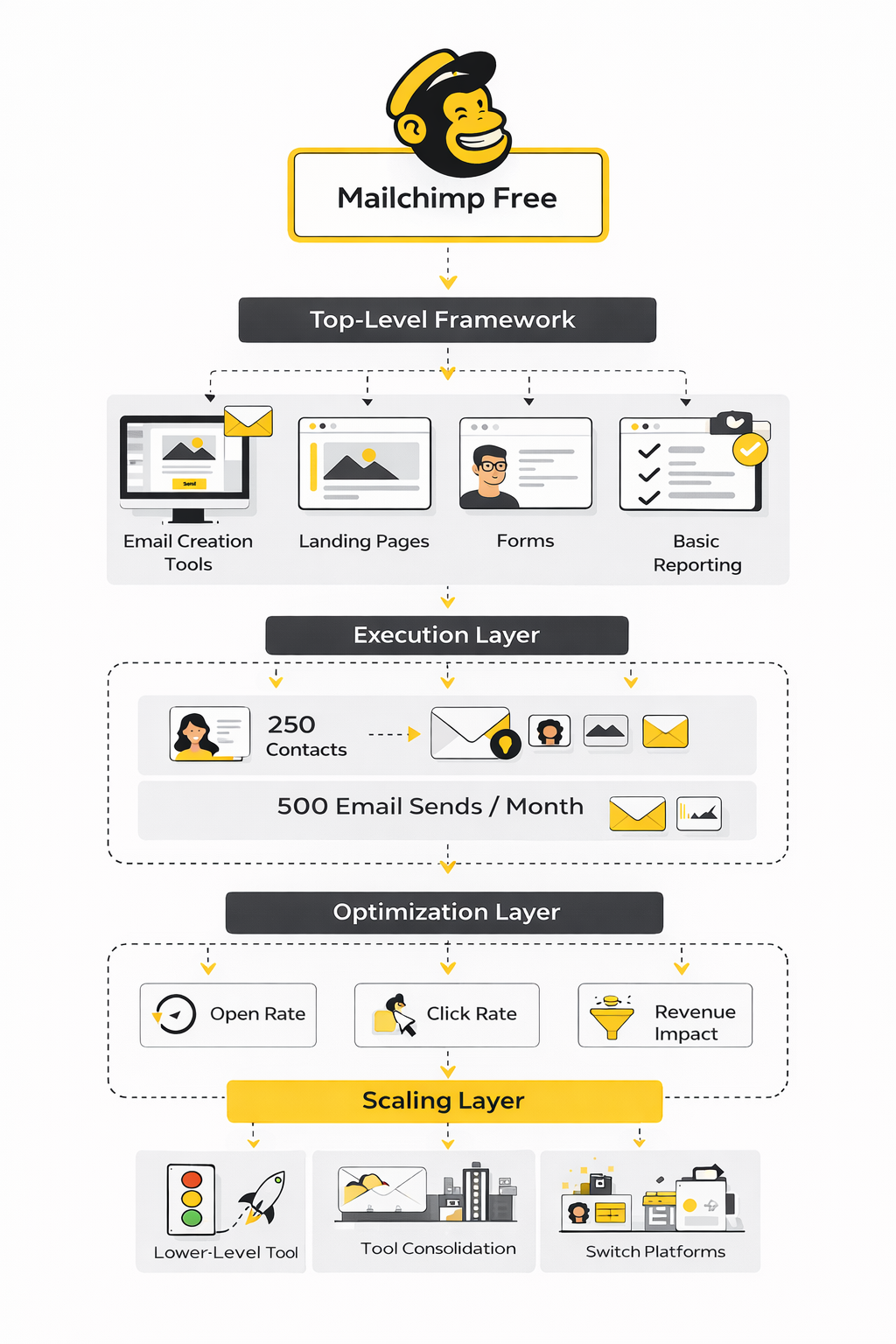
Right now, the free version is much tighter than many old blog posts and YouTube tutorials suggest. Mailchimp’s current pricing page and its help documentation show a limit of 250 contacts, 500 monthly email sends, and a daily cap of 250 emails, which changes the math completely for anyone trying to grow consistently. That does not make the plan useless, but it does mean you need to evaluate it as a lightweight testing tool, not as a long-term growth engine.
That matters because email is still one of the most durable channels in digital marketing. Litmus’ 2025 ROI breakdown shows many marketers still reporting strong returns from email, while Mailchimp’s benchmark data puts average performance across all users at 35.63% open rates and 2.62% click rates. In other words, the channel still works, but the free plan only works when your business model fits the limits.
Why Mailchimp Free Still Gets So Much Attention
Mailchimp has brand recognition that smaller tools still struggle to match. It has been in the market for years, it is easy to set up, and for many people it is the first email platform they ever hear about. That matters because beginners usually do not start by comparing technical send limits or automation depth. They start with whatever feels safe and familiar.
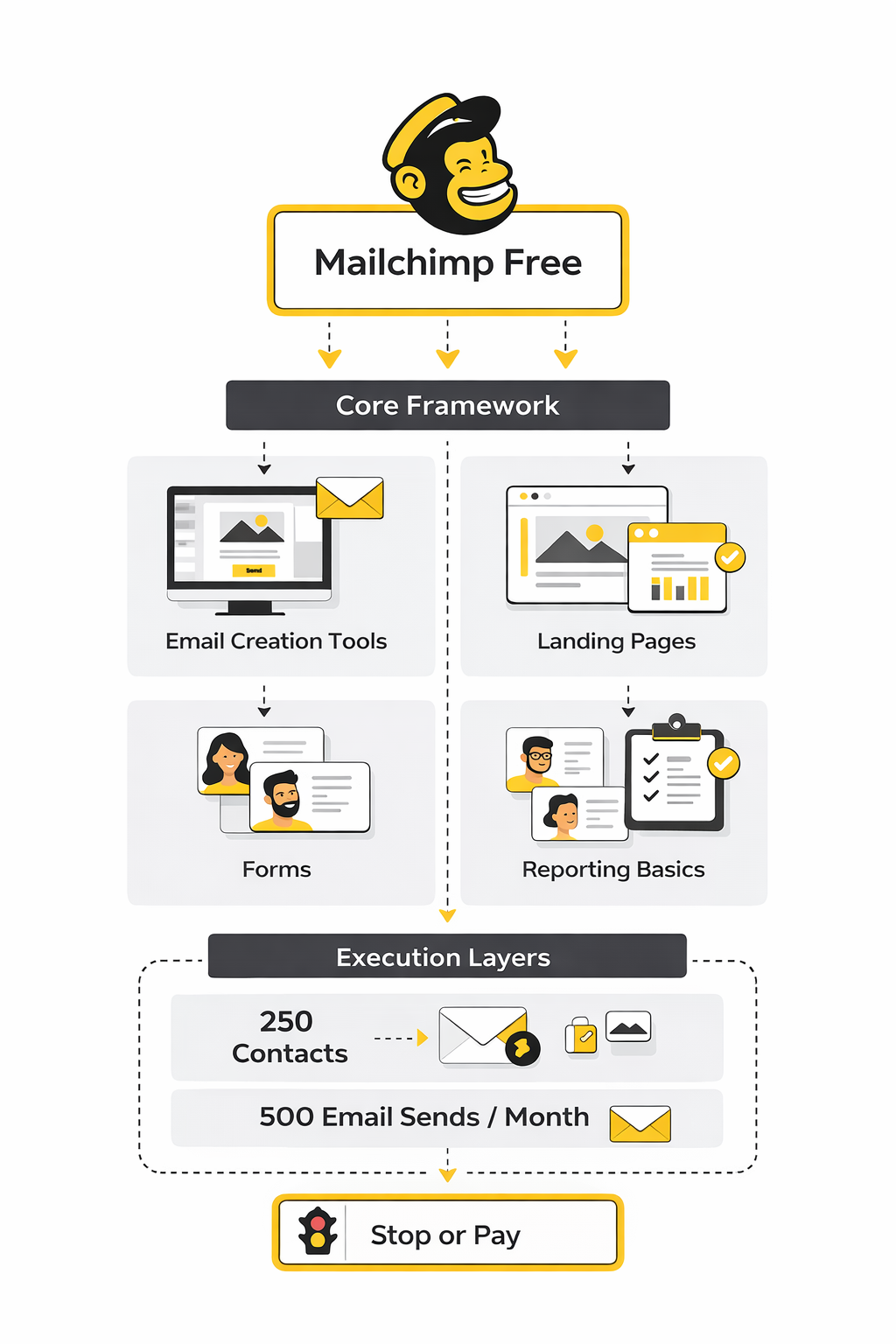
There is also a real reason the plan stays attractive despite the reduced limits. Mailchimp still gives free users access to core email creation tools, forms, landing pages, and reporting basics, and Mailchimp’s compare-plans page makes that clear. On top of that, landing pages are available to all Mailchimp users, so someone with a tiny list can still build a simple lead capture flow without spending money on extra software.
The catch is that attention and fit are not the same thing. A free plan can be good for learning the platform, validating an offer, or sending a simple monthly newsletter to a very small list. It becomes a problem when people assume “free” means “good enough for growth,” because at 250 contacts and 500 sends per month, you can hit the wall much earlier than expected.
Mailchimp Free at a Glance
The easiest way to think about Mailchimp free is as a starter environment for low-volume email marketing. It is best for businesses that are still proving demand, building their first lead magnet, or sending infrequent campaigns to a tightly controlled list. It is much less attractive for businesses that rely on regular promotions, segmented sends, or frequent nurture sequences.
That distinction matters more than most comparison posts admit. A weekly newsletter alone can push a small list toward the monthly send ceiling, and any growth in subscriber count reduces your room even faster. When you combine that with the fact that many teams want forms, automation, testing, and more generous volume before they are ready to pay, the real question stops being “Is Mailchimp free available?” and becomes “Is Mailchimp free enough for the way I plan to market?”
This article will answer that in a practical order, starting with the actual limits and ending with the decision point most people care about: stay, upgrade, or switch. The sections below are the exact roadmap for the rest of the article, so each part builds on the last one instead of repeating the same generic advice.
Article Outline
- What You Actually Get on the Free Plan
- Where Mailchimp Free Works Well
- Where the Free Plan Starts to Break Down
- Professional Implementation: How to Decide Whether to Stay or Switch
- Better Alternatives, Upgrade Paths, and Final Verdict
- FAQ
What You Actually Get on the Free Plan
The biggest mistake people make with mailchimp free is assuming it still works like the older version that gave small businesses a lot more breathing room. It does not. The current free plan is a stripped-down starting point built for learning the platform, collecting early subscribers, and sending a limited number of campaigns before you hit the ceiling.
In practical terms, the plan gives you one audience, up to 250 contacts, and up to 500 email sends per month, with a daily cap that can stop you from batching a bigger campaign even if your total list still looks manageable. That means your real capacity is smaller than most beginners expect. A list of 250 people sounds decent on paper, but if you send one campaign a week, you can run into the monthly send limit fast.
You still get the basic building blocks needed to launch something real. You can create email campaigns, use Mailchimp’s builder, collect leads through forms, publish landing pages, and review core campaign reporting. For a brand-new project, that is enough to test a lead magnet, validate a newsletter idea, or send a simple welcome sequence without paying upfront.
What you are not getting is much room for aggressive growth or sophisticated lifecycle marketing. Once you want regular campaigns, cleaner segmentation, or more breathing room for experimentation, the free plan starts to feel less like a launchpad and more like a holding pen. That distinction matters because a free tool that slows your momentum can cost more than a paid tool that supports it.
The Contact Limit Matters More Than Most People Think
A 250-contact cap does not just limit how many people you can store. It changes how you think about acquisition, list hygiene, and whether it is worth pushing hard on lead generation in the first place. If every new subscriber gets you closer to a forced upgrade, you stop treating growth as a clear win.
This becomes even more obvious when you run content, ecommerce, or local service campaigns that rely on repetition. Email works because consistency builds familiarity, trust, and response over time. But when your send allowance is low, every newsletter, launch email, reminder, and follow-up starts competing for the same tiny pool of monthly volume.
There is also a psychological cost here. On a generous free plan, you can test more freely and learn by doing. On mailchimp free, the current limits can make you overly cautious, which is the exact opposite of what a beginner usually needs.
The Send Limit Is the Real Constraint
For many users, the monthly send limit is more restrictive than the contact limit. You may technically fit within 250 contacts and still run out of sends because your marketing rhythm is too active. That makes the plan workable for occasional campaigns, but not ideal for anyone trying to build a serious publishing or sales cadence.
Think about what basic email marketing usually includes. You want a welcome email, maybe a follow-up, a weekly campaign, and sometimes a promotional push. Even with a modest list, that can eat through available sends much faster than expected.
This is why mailchimp free often feels fine during setup and frustrating during execution. The account is easy to open, the builder is approachable, and the first campaign feels simple. Then you start acting like a real marketer and discover the plan was designed more for entry than for momentum.
The Included Tools Are Useful, But They Need Context
The good part is that Mailchimp still gives free users access to a polished environment. The interface is cleaner than many budget tools, the campaign builder is beginner-friendly, and the ecosystem is broad enough that most users can find their way around without much technical help. That makes the platform genuinely useful for first-time email marketers.
The more important question is whether those tools are useful enough relative to the limits wrapped around them. A landing page builder is nice, but it matters less if your subscriber ceiling is low. Basic reporting is helpful, but it becomes less valuable when your testing volume is too small to generate meaningful patterns quickly.
So yes, the toolset is real. It is not fake-free. But the value of those features depends almost entirely on how small and simple your email program is at the moment you start.
Where Mailchimp Free Works Well
Mailchimp free works best when your goal is to get moving, not to scale hard. That usually means you are early, your list is small, and your email strategy is still simple enough that limits do not constantly interrupt execution. In that context, the free plan can absolutely do its job.
It is especially reasonable for solo creators testing whether anyone wants their newsletter at all. If you are writing one solid email every week or two, using a basic signup form, and growing slowly, the plan can carry you through the validation phase. The same goes for a local business sending occasional updates, announcements, or seasonal offers to a tight list.
It can also work for internal learning. If you want to understand how campaigns are built, how audiences are organized, and how email reporting looks inside a mainstream platform, mailchimp free gives you a low-risk place to learn those habits. That has value, especially for founders who want hands-on familiarity before investing in a bigger system.
Good Fit for Creators With a Tiny List
A small newsletter with under 100 active subscribers can often live comfortably on the free plan for a while. You are not sending enough volume to create immediate pressure, and you get time to figure out your voice, your format, and whether readers care. That kind of low-stakes proving ground is where Mailchimp still makes sense.
This matters because early-stage creators usually do not need advanced automation. They need a clean editor, basic signup flow, and enough reporting to spot whether people are opening and clicking. For that use case, a free tool that removes technical friction is valuable.
The plan becomes less attractive only when consistency starts working. Once your subscriber count rises and you publish more often, success itself pushes you toward the edge of the account. That is a good problem in one sense, but it can still be an annoying one.
Useful for Local Businesses and Simple Announcements
A restaurant, gym, salon, consultant, or neighborhood service business can sometimes use mailchimp free effectively because the sending rhythm is lighter. These businesses often do not need elaborate funnels right away. They need a way to collect a few email addresses and send clean updates without creating another monthly software expense.
That is where the plan feels sensible. You can launch a basic list, send the occasional promotion, and keep your communication organized without much setup pain. If your email program is mostly “stay in touch and send something relevant now and then,” the limitations may not hurt immediately.
But simple does not mean permanent. As soon as the business starts layering in lead magnets, appointment reminders, nurture campaigns, or segmented offers, the free plan stops matching the ambition. That is where many users begin looking at tools with more generous entry-level room, such as Brevo or Moosend, which are often easier to justify once growth becomes a real priority.
Strong for Testing, Weak for Ongoing Growth
This is the cleanest way to sum it up. Mailchimp free is good for testing whether email deserves a place in your business. It is not especially good for supporting a business that has already decided email is a serious channel.
That is why the plan works best when you treat it like a temporary proving environment. Build the first form, send the first campaigns, learn the basics, and validate that subscribers actually respond. Once that happens, the question changes from “Can I start for free?” to “What system supports what I’m trying to build next?”
That shift is where many people hesitate too long. They keep trying to squeeze more value out of a plan that was never designed for sustained growth. In the next section, that is exactly what we need to unpack: where the free plan starts to break down, and what signs tell you it is already holding you back.
Where the Free Plan Starts to Break Down
The breaking point with mailchimp free is usually not some dramatic technical failure. It is the moment your marketing starts getting more intentional and the account can no longer keep up with the way you want to work. That is when a free tool stops feeling helpful and starts creating friction in places that matter.
For most users, the first problem is volume. Once you send regularly, test different campaign angles, or build even a lightweight follow-up sequence, the limit stops being a background detail and becomes a daily planning constraint. You start thinking less about what your audience needs and more about what the account will allow.
The second problem is that early growth makes the free plan less useful, not more useful. That is backwards. A good entry-level tool should reward traction by giving you room to build on it, but mailchimp free often does the opposite by making every additional subscriber and every additional send feel expensive before you are even paying.
You Outgrow It Faster Than You Expect
This usually happens in stages. First, you are excited that the setup is easy and the first campaign goes out without much trouble. Then you begin to publish more consistently, collect more subscribers, and realize the account is only comfortable when your business stays very small.
That becomes frustrating because the shift does not happen when you fail. It happens when things start working. Your list grows, people engage, and suddenly the free plan that looked fine at the beginning becomes the thing slowing down your next move.
This is why so many people misjudge mailchimp free. They evaluate it based on setup, not on operating rhythm. Setup is the easy part. The real test is whether the platform still makes sense once you have actual momentum.
Limited Headroom Changes Your Strategy
When room is tight, strategy gets distorted. You avoid sending useful emails because you do not want to waste sends. You hesitate to segment properly because every extra campaign feels heavier. You postpone simple experiments because you are already managing around the cap.
That is not a small issue. Email gets stronger when you can communicate consistently, respond to audience behavior, and refine your approach over time. If your platform makes you ration normal marketing actions too early, you are not just saving money. You are slowing down feedback, learning, and revenue potential.
This is where founders and marketers need to be honest with themselves. If the account is causing you to under-market, it is no longer free in any meaningful sense. You are paying with speed.
The Hidden Cost Is Operational Friction
Most people only compare software based on monthly price. That is too shallow. The better comparison is whether the tool lets you execute your actual plan without creating workarounds, delays, or constant second-guessing.
Mailchimp free can be fine when your plan is minimal. It becomes expensive when it forces you to think in terms of limits instead of outcomes. That is especially true if email is connected to launches, appointment generation, ecommerce campaigns, or regular educational content.
At that point, the smarter move is not to squeeze harder. It is to decide whether you should stay, upgrade, or switch before the account architecture starts shaping your business in the wrong direction.
Professional Implementation: How to Decide Whether to Stay or Switch
This is the part most articles skip. They tell you what the free plan includes, maybe mention a few drawbacks, and then leave you with a vague “it depends.” That is not useful. What you need is a simple process that helps you decide whether mailchimp free still fits the way you market right now.
The right decision is rarely emotional. It is operational. You want to look at your subscriber growth, your send frequency, your campaign style, and your near-term business goals. Once you do that clearly, the answer usually becomes obvious.
If your email strategy is still tiny and slow-moving, staying put can make sense. If email is becoming a real channel for sales, nurturing, or repeat engagement, then dragging out the free phase usually costs more than moving sooner.
Use This 5-Step Decision Process
Start by looking at what you are actually doing, not what you hope to do someday. A lot of people keep the free plan because it sounds efficient, even though their current workflow already tells them it is a poor fit. The process below fixes that by forcing a realistic decision.
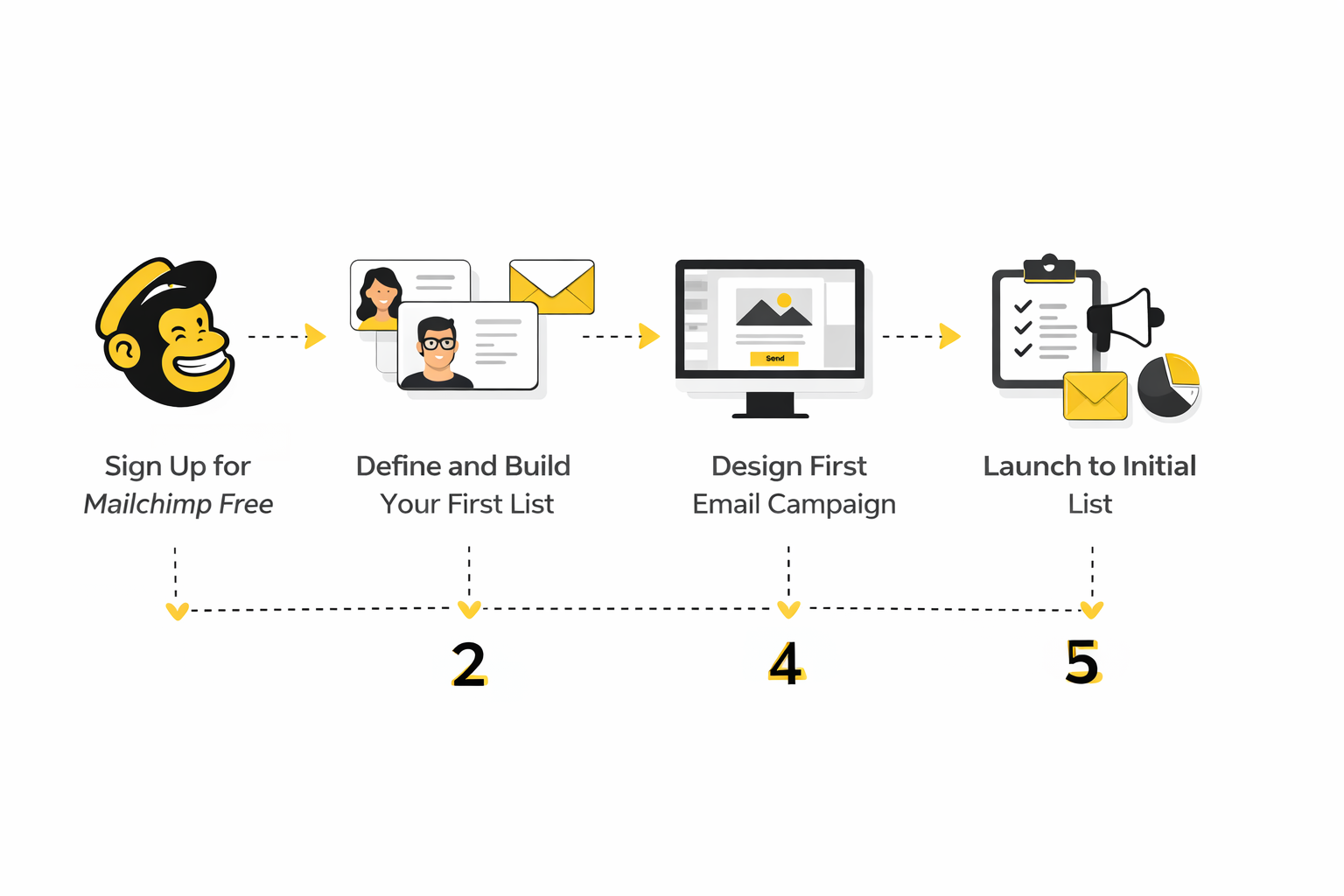
- Check your list size against your next 60 to 90 days of growth Do not just count today’s subscribers. Estimate what happens if your current lead magnet, offer, referral push, or content cadence works even moderately well. If a small win would push you close to the limit, you are already operating with too little headroom.
- Map your actual email rhythm Write down how many emails you want to send in a normal month. Include newsletters, promotions, launches, follow-ups, reminders, and any simple welcome flow you expect to use. If that plan already feels tight on paper, the account is not supporting your strategy properly.
- Decide whether email is a side channel or a growth channel This is a big one. If email is just a backup communication tool, the free plan may be enough for now. If email is supposed to drive leads, sales, bookings, or retention, then you need a system built for execution, not just experimentation.
- Audit the workarounds you are already using Pay attention to every moment where you are manually compensating for platform limits. Maybe you are sending less often than you should, avoiding segmentation, or delaying campaigns because the margin is too tight. Those are not minor inconveniences. They are signals that the tool is shaping the business instead of supporting it.
- Choose the lowest-friction next step Sometimes that means staying on mailchimp free for another month while you validate a simple offer. Sometimes it means upgrading inside Mailchimp because you already like the interface and only need more room. And sometimes it means switching to a tool that gives you more capacity or broader marketing functionality from the start, such as Brevo, Systeme.io, or GoHighLevel if your needs go beyond simple newsletters.
When Staying on the Free Plan Still Makes Sense
Staying is reasonable when your list is genuinely small, your sending cadence is light, and your current goal is still validation rather than scale. In that phase, the simplicity of mailchimp free can be more valuable than chasing a more advanced stack. You do not need to overbuild before the audience proves it wants what you are offering.
It also makes sense when email is only one small part of a broader acquisition mix. If you are mainly relying on direct outreach, referrals, events, or social content, then the account may be enough for periodic communication. The key is honesty. Stay because the plan fits, not because changing tools feels annoying.
That last point matters. Inertia is not strategy. If you are staying only because migration sounds inconvenient, you are probably already closer to a switch than you think.
When Upgrading Is the Smarter Move
Upgrading is usually right when you already like Mailchimp’s workflow and the real problem is capacity, not platform fit. If the interface works for you, your team is comfortable inside it, and you simply need more sends, more audiences, or more automation, then paying to remove the bottleneck can be a rational move.
This path is often better than switching when your business is operationally stable and you do not want to interrupt campaigns just to save a little software cost. Stability has value. The mistake is not upgrading. The mistake is pretending your needs are still small when they are clearly not.
You should also lean toward upgrading when your email list is directly tied to revenue. Once email affects launches, repeat purchases, consultations, or client acquisition, limiting your account to preserve a zero-dollar bill can become false economy very quickly.
When Switching Is the Better Long-Term Decision
Switching makes more sense when your issue is not just send limits. It is a better move when you want a different model entirely, such as more generous contact storage, a stronger funnel builder, broader CRM capability, or a platform that combines more of your stack in one place.
That is where alternatives become worth serious consideration. Brevo is often more appealing if you care about contact capacity early. Systeme.io is attractive if you want funnels, email, and digital product workflows in one tool. GoHighLevel becomes interesting when your needs expand into CRM, automation, and client-facing operations rather than just campaign sending.
The important thing is to switch for a clear reason, not out of frustration alone. Good migrations happen when the next platform matches the business model better. In the next part, that is exactly where the article goes next: the best alternatives, the upgrade paths that make sense, and the final verdict on whether mailchimp free is still worth starting with today.
Reading the Numbers Without Fooling Yourself
Once you move past the setup question, mailchimp free becomes a measurement question. You need to know whether your small list is actually engaged, whether your campaigns are improving, and whether the free plan is giving you enough room to learn something useful from the data. That is where most people get sloppy, because they look at one nice-looking number and assume the system is working.
The first number people obsess over is open rate. That is understandable, but it is not enough anymore. Privacy protections and automated opens have made open data less trustworthy as a standalone success signal, which is why modern reporting has to be read as a set of connected signals instead of a single scoreboard.
That does not mean the data is useless. It means you need to interpret it with more discipline. If you do that well, even a small account on mailchimp free can tell you a lot about subject line strength, content relevance, and whether your audience is worth building further.
What Good Email Numbers Actually Look Like
Benchmark data is useful only when it helps you ask better questions. Recent email performance benchmarks from Brevo’s 2025 benchmark report put average open rates around 21% overall, average click-through rates around 3.96%, and unsubscribe rates near 0.11%, while regional performance varies significantly. Those numbers are not a target you blindly chase. They are a reference point that helps you decide whether your results are healthy, weak, or misleading.
The real takeaway is variation. Different industries, regions, list qualities, and sending habits produce very different outcomes, so a single benchmark can never tell the whole story. A local service business with a warm list may outperform broad ecommerce mailings on opens, while still lagging badly on clicks if the offer is weak.
This matters a lot on mailchimp free because your dataset is small. On a tiny list, one strong campaign or one weak send can distort your averages fast. That means you should look for patterns over several sends, not treat one campaign as proof that your strategy is working.
The Metrics That Matter Most on a Small Free Account
A small account needs a smaller, sharper measurement framework. You do not need twenty dashboards and endless attribution arguments. You need a compact set of numbers that tells you whether people are noticing your emails, engaging with them, and taking meaningful action.
The best way to do that is to rank your metrics by decision value. Some metrics are useful but noisy. Others are harder to fake and more closely tied to business outcomes. On mailchimp free, that distinction is important because your send volume is limited, so every campaign should teach you something concrete.
1. Open Rate Tells You Whether the First Impression Worked
Open rate is still worth watching because it helps you evaluate subject lines, sender name familiarity, and general audience interest. If your opens are consistently weak, that usually signals a mismatch between your promise and what subscribers expect to receive. It can also point to deliverability issues or poor list quality.
But open rate is not a truth machine. Brevo’s reporting documentation explains that privacy protections and bot activity can inflate reported opens, which is exactly why you should treat opens as directional rather than definitive. A rising open rate is helpful. It just does not automatically mean your content is doing its real job.
That is the key mindset shift. Use open rate to judge attention, not success. Success starts one step later.
2. Click Rate Tells You Whether the Content Created Action
Click rate is usually more valuable than open rate because it shows active engagement. A click means the email did more than get noticed. It persuaded someone to move.
This is where weak campaigns get exposed. You can have a strong subject line and a decent open rate, then discover the body copy, call to action, or offer is not compelling enough to generate movement. That is why clicks deserve more weight when you are trying to improve performance.
On mailchimp free, click data is also one of the fastest ways to see whether you should keep investing in a list. If people open but never click, the problem may be your message, your offer, or the type of subscriber you are attracting. Either way, the data is telling you something useful.
3. Unsubscribes and Bounces Tell You Whether You Are Damaging the List
These numbers are less glamorous, but they matter. Unsubscribes help you see whether content frequency, positioning, or relevance is pushing people away. Bounces help you understand whether list quality and collection practices are hurting deliverability before the account grows.
This is important because a free plan can tempt people to ignore hygiene. They think the list is still small, so quality issues can wait. That is backwards. Small lists magnify quality problems, and bad habits become more expensive when you eventually upgrade or migrate.
A healthy unsubscribe rate does not mean zero unsubscribes. It means the number stays proportionate to your sending style and audience expectations. If it jumps after specific campaign types, that is not random bad luck. It is feedback.
4. Conversion Is the Metric That Settles the Argument
If your email has a real business goal, conversion is the metric that matters most. Opens can look nice. Clicks can feel encouraging. Conversions tell you whether the campaign changed behavior in the way you actually wanted.
That conversion might be a purchase, a booking, a reply, a demo request, a form submission, or even a download. The exact goal depends on the business model. What matters is that you define it before you send.
This is where a lot of mailchimp free users hit a wall. The platform can show you campaign activity, but your business decisions should not stop at email-platform metrics alone. You need to connect campaign behavior to outcomes, even if that means using simple landing page tracking, tagged links, or external funnel tools.
A Practical Analytics System for Mailchimp Free
The best analytics system for a small account is not complicated. It is consistent. You want something simple enough that you will actually use it after every send, but structured enough that it helps you spot improvement or decline over time.
Here is the cleanest version. Track every campaign in the same order: who it was sent to, what promise the subject line made, what the main call to action was, and what the resulting open, click, unsubscribe, and conversion signals looked like. Then compare those results against your previous five to ten sends, not against your hopes.
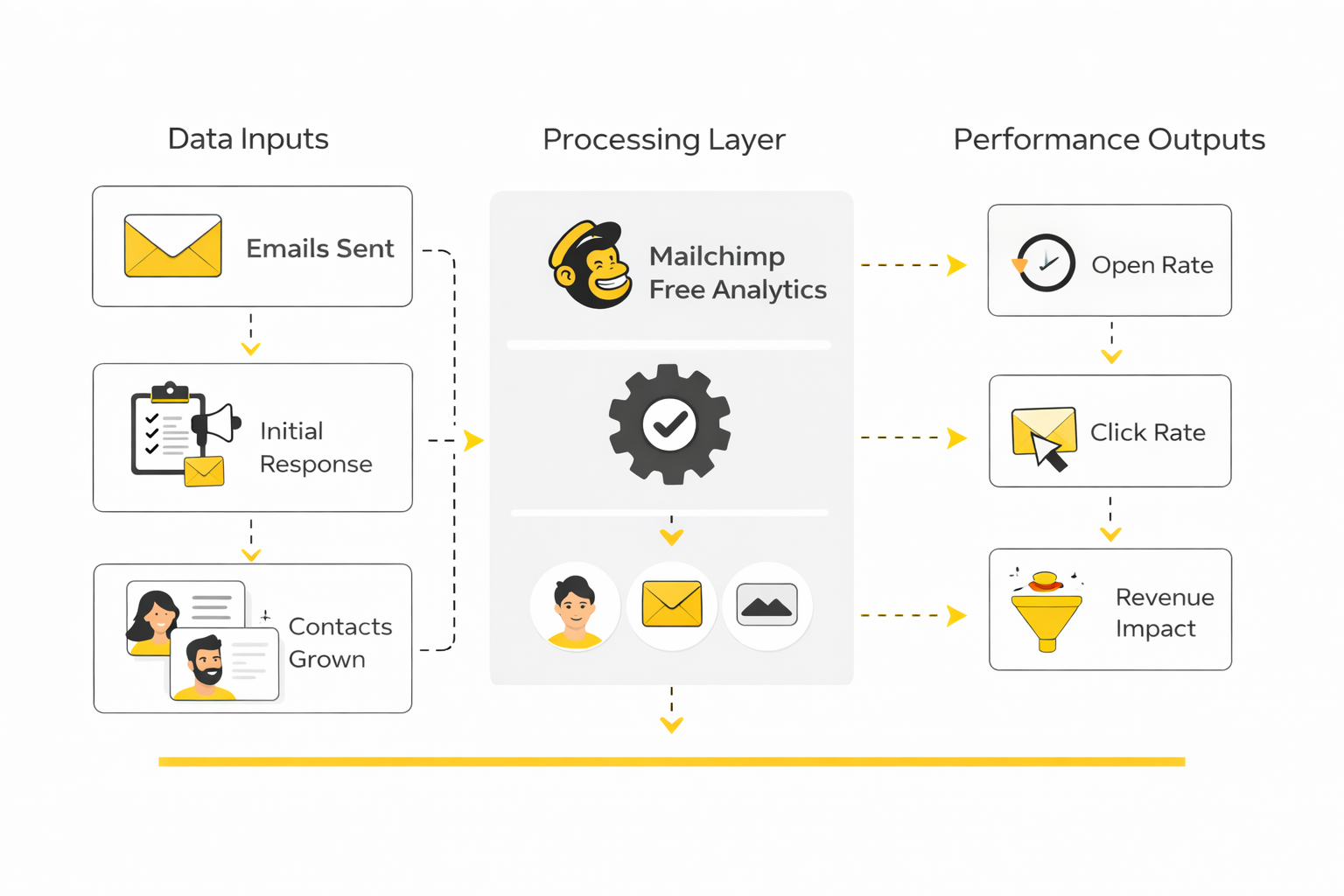
That process turns isolated reports into usable intelligence. Instead of saying, “This campaign got a 31% open rate,” you start saying, “Subject lines with direct benefit language outperform curiosity-based lines for this audience, but clicks rise only when the email includes one clear action instead of three.” That is the level where analytics starts becoming strategy.
The reason this matters so much on mailchimp free is simple: your margin for waste is low. You do not have enough sends to learn lazily. Every campaign should sharpen your understanding of what your audience responds to and what kind of system you will eventually need.
The 4 Questions to Ask After Every Campaign
- Did enough people open to validate the subject line and sender identity? If not, start there first. Weak opens usually mean the promise at the top failed before the body copy even had a chance.
- Did enough people click to prove the content matched the promise? If open rate looks healthy but click rate is weak, the email probably created interest but failed to convert attention into action.
- Did unsubscribes or negative engagement spike? If yes, something about relevance, tone, frequency, or expectation alignment was off. That does not always mean the campaign was bad, but it does mean it needs review.
- Did the campaign produce the business result it was supposed to produce? This is the final filter. If the campaign did not create the intended outcome, do not let pretty top-line metrics distract you from that.
What the Data Should Push You to Do Next
Good data should drive action, not just curiosity. If your opens are low, work on subject lines, sending cadence, and list quality. If opens are fine but clicks are weak, improve the offer, simplify the call to action, and tighten the connection between promise and content.
If clicks are healthy but conversions are soft, the problem may sit outside the email itself. That often points to landing page quality, offer clarity, pricing friction, or weak follow-through after the click. In other words, the campaign may be doing its part while the funnel is not.
This is where mailchimp free becomes a useful diagnostic environment, but only up to a point. If your measurement starts revealing a bigger opportunity than the account can comfortably support, the data is telling you something bigger than “nice campaign.” It is telling you whether the current setup still matches the business.
Benchmarks Are Useful, But Trendlines Matter More
A benchmark helps you orient yourself. A trendline helps you improve. If your open rate is below a broad market average but steadily rising as your messaging gets sharper, that can be more encouraging than a one-off campaign that spikes above the average and then collapses.
That is why smart operators focus on movement over time. They want to know whether their list is getting warmer, whether their content is becoming more relevant, and whether their conversion path is improving with each send. Those changes matter more than winning a random comparison against an industry table.
So yes, use benchmark data. Just do not let it replace disciplined observation. The most useful question is never “Is this number good?” It is “What is this number telling me to change?”
Why Measurement Often Leads Straight to the Platform Decision
Once you track campaigns properly, the decision around mailchimp free usually becomes much easier. If the data says your audience is weak, then staying free while you fix fundamentals can be sensible. If the data says the audience is responsive and the channel is working, then limited send capacity starts looking like an unnecessary brake.
That is the inflection point. Strong performance on a cramped free plan is not just nice news. It is often a signal that the account has done its job and that your next decision should be about scale, flexibility, and economics.
That is where the article goes next. The next section looks at the best alternatives, the upgrade paths that actually make sense, and the final verdict on whether mailchimp free is still the right place to start.
Better Alternatives and Upgrade Paths
By this point, the real question is no longer whether mailchimp free can send emails. It can. The better question is whether it still matches the kind of business you are building, because once your marketing gets even slightly more serious, platform choice starts affecting cost, speed, reporting, and how many tools you need to duct-tape together.
This is where beginners often make the wrong tradeoff. They compare a free plan against a monthly bill and stop there. Experienced operators compare systems based on total operating friction, how quickly the team can execute, and whether the platform helps the business scale without forcing constant rework.
That is why a switch is not automatically a better move, and an upgrade is not automatically a waste. The right answer depends on whether you want a better email tool, a broader marketing stack, or a more consolidated operating system.
When a Simpler Email-First Alternative Makes More Sense
Some businesses do not need a giant stack. They just need more room, cleaner economics, and enough automation to stop babysitting campaigns. In those cases, moving away from mailchimp free can make sense even before the business gets large, because the issue is not complexity. It is breathing room.
Brevo is a strong fit when you want email marketing plus adjacent communication tools like CRM, automation, and SMS in the same environment. That broader setup matters if your business is already moving beyond newsletter sending and into lifecycle messaging. It is a better option for teams that want more than just a campaign builder without jumping all the way into a heavier agency-style system.
Moosend makes more sense when your priority is affordable email execution with automations, landing pages, forms, A/B testing, and reporting in a focused platform. If your business still thinks in terms of email campaigns first and broader business operations second, that kind of product can feel more aligned than trying to stretch mailchimp free beyond its natural role.
When an All-in-One Business Stack Is the Better Move
Sometimes the issue is not email at all. The real issue is that your business has already outgrown single-purpose tools, and email is just the place where the strain becomes visible first. That is when all-in-one systems start becoming much more attractive than optimizing one small part of the stack.
Systeme.io is compelling when your world revolves around funnels, email sequences, digital products, and lightweight business automation in one place. It is especially relevant for creators, coaches, course sellers, and lean online businesses that care more about simplicity and direct monetization than enterprise-style depth. In those cases, moving from mailchimp free to a system built around conversion flows can be cleaner than upgrading a standalone email tool and then bolting on more software later.
GoHighLevel becomes more interesting when the business needs a broader operating system with CRM, lead capture, automation, bookings, email marketing, and deeper workflow control. Its email marketing product positioning and automation stack make it a stronger fit for agencies, service businesses, and operators who are already thinking in terms of pipelines and customer journeys rather than isolated broadcasts. If your issue with mailchimp free is that it feels too small for the business you are building, that kind of platform shift can be the more honest solution.
The Strategic Tradeoffs Most People Miss
The surface-level comparison is easy. Free feels safe, and switching feels annoying. The deeper comparison is where the real money is, because what looks cheaper in the short term can create hidden costs in execution, learning, and migration timing.
One of the biggest hidden costs is delayed migration. Teams stay on a limited plan because the account still technically works, even though it already shapes their behavior in the wrong way. They send fewer campaigns than they should, avoid building useful automation, and postpone better reporting discipline because the current system feels temporary.
That creates a bad middle state. You are not really operating lean, and you are not really building for scale. You are just living inside a constrained system long enough for the eventual switch to become more annoying than it needed to be.
The Longer You Wait, the More Inertia Builds
Early migration is usually operationally easier than late migration. Smaller lists are cleaner, automations are simpler, and your team has fewer habits tied to one platform. That means the switching cost is often lower exactly when businesses are most tempted to ignore it.
The problem is psychological. As the list grows, people assume they should avoid moving because there is now more to disturb. In reality, that is often the point where moving gets more urgent, because the business is now large enough for tool limitations to create measurable opportunity cost.
This is the tradeoff that matters. Mailchimp free is most attractive when the business is tiny, but that is also when switching away from it is least painful. Once you understand that, waiting too long stops looking prudent and starts looking expensive.
Tool Consolidation Is Not Just a Nice Bonus
A lot of growing businesses underestimate how much drag comes from fragmented tools. One platform handles email, another handles forms, another handles scheduling, another handles CRM, and something else is glued in to manage automation. Each tool may be individually fine, but the stack becomes harder to maintain and slower to interpret.
That is why consolidation becomes a serious scaling issue, not just an aesthetic preference. If your business is already coordinating leads, follow-ups, offers, and reporting across multiple environments, the right move may not be to find a slightly roomier email platform. It may be to reduce the total number of moving parts.
This is one reason platforms like GoHighLevel and Systeme.io keep entering the conversation once people outgrow mailchimp free. They are not just alternatives. They represent a different architectural choice.
More Features Are Not Always Better
There is one trap on the other side too. Some users leave a constrained free plan and immediately jump into a much bigger system they do not actually need. That can create a different kind of friction, where the problem is no longer lack of capacity but excess complexity.
This is why expert-level tool selection is less about chasing the “best” platform and more about matching the system to the operating model. If you run a small content newsletter, a huge automation suite may slow you down. If you run a service business with lead pipelines and appointment workflows, a basic campaign tool may be too thin.
That is the balancing act. You want enough power to support your next phase, but not so much complexity that your team spends more time configuring than executing.
Risks to Watch Before You Upgrade or Switch
The first risk is moving reactively. Frustration can be a useful signal, but it is not a migration plan. Before you change anything, you need to know what your next platform must do better, what must be preserved, and how success will be measured after the move.
The second risk is underestimating deliverability and data cleanliness. A new platform does not magically fix weak list quality, poor messaging, or sloppy acquisition habits. If your fundamentals are weak, migrating just relocates the problem. The platform may improve execution, but it cannot save a broken strategy.
The third risk is overbuying. This happens when founders use future ambition to justify present complexity. There is nothing wrong with choosing for the next stage, but the tool should still fit the real business, not a fantasy version of it.
A Smarter Way to Make the Decision
Use this filter before you commit to anything. If you mainly need more room to send and grow, an email-first alternative like Brevo or Moosend is often the more rational path. If you need funnels, offers, CRM, scheduling, automation, and broader business control, then Systeme.io or GoHighLevel may be a better long-term fit.
That framing matters because it stops you from making an emotional platform decision. You are not switching because you are annoyed. You are choosing based on where your operational bottleneck actually is.
Once you do that, the final judgment on mailchimp free gets much clearer. It is not a bad starting point. It is just a narrow one. In the final part, the article closes with the direct verdict, who should use it, who should skip it, and the FAQ people usually ask right before they make the decision.
Final Verdict: Is Mailchimp Free Still Worth It?
Mailchimp free is still worth considering, but only for a narrow slice of users. It works best when you are just starting, your list is tiny, and your real goal is to validate whether email deserves a place in your business at all. If that is your situation, the plan can do its job without forcing you into paid software too early.
For everyone else, the value drops fast. Once email becomes a serious growth channel, the limited contact cap and sending room stop feeling like a harmless constraint and start acting like a strategic bottleneck. That is the point where staying free can quietly cost more than upgrading or switching.
The cleanest way to think about it is this: mailchimp free is a testing environment, not a growth environment. It is useful for learning, building your first list, and sending your first campaigns. It is much less useful for businesses that already know email matters and need a setup that can keep up with execution.
Who Should Start With It
You should seriously consider mailchimp free if you are a solo creator, local business, or early-stage brand with a very small audience and a simple publishing rhythm. In that situation, the platform gives you enough structure to collect subscribers, send polished emails, and learn the fundamentals without adding immediate software overhead. Used that way, it is still a perfectly rational starting point.
It also makes sense if your current objective is clarity rather than scale. Maybe you are testing whether people even want your newsletter, whether a lead magnet converts, or whether your audience responds to email at all. In those cases, the plan is not supposed to be your forever system. It is supposed to help you get evidence.
Who Should Skip It
You should probably skip mailchimp free if you already know you want consistent campaigns, regular promotions, or a broader funnel around your list. The current limits are tight enough that even modest success can push you into awkward decisions faster than expected. That creates a bad setup where growth makes the tool feel worse instead of more valuable.
You should also skip it if your business already depends on tighter automation, higher sending volume, or a more connected marketing stack. At that stage, using a narrowly limited free plan often just delays the more important decision about platform fit. That delay can feel cheap in the moment and expensive a few months later.
The Smarter Closing Take
The smartest move is not to ask whether mailchimp free is good or bad in absolute terms. The smarter question is whether it matches the phase your business is actually in today. If it fits the phase, use it hard, learn quickly, and move on when the data tells you to.
That last part matters. Do not get emotionally attached to the word free. The right tool is the one that helps you execute your strategy cleanly, measure what matters, and scale without forcing your business into smaller ambitions than it deserves.
FAQ - Built for Complete Guide
Is Mailchimp free really free?
Yes, mailchimp free is a real no-cost plan, but that does not mean it is unlimited or broadly flexible. The free version gives you a small amount of room to operate, and once you cross that threshold, sending can pause until you change plans or reduce usage. So the right way to think about it is free to start, not free to grow indefinitely.
How many contacts can you have on Mailchimp free?
The current free plan is built for a very small list, which is why it fits testing better than scaling. That is fine if you are validating an offer or building your first subscribers, but it becomes restrictive quickly once your audience starts responding. If you expect even moderate growth, you should treat that cap as an immediate planning factor, not a distant future issue.
How many emails can you send on Mailchimp free each month?
Mailchimp free gives you limited sending capacity, which means your campaign rhythm matters a lot more than most beginners expect. A few newsletters, follow-ups, or promotional pushes can use up the allowance faster than it seems on paper. That is why the free plan works better for light, intentional sending than for frequent content or active sales cycles.
Is Mailchimp free good for beginners?
Yes, it is good for beginners in the sense that the interface is approachable and the barrier to entry is low. You can learn how lists, campaigns, forms, and reporting work without paying on day one. The catch is that beginner-friendly does not automatically mean long-term-friendly, so the learning value is strongest early.
Can you make money using Mailchimp free?
You absolutely can, because a free tool does not stop an email from generating sales, bookings, or leads. What matters is whether your message, offer, and audience are strong enough to create action. The limitation is not whether revenue is possible. The limitation is how much room you have to repeat what works before the plan starts getting in the way.
Is Mailchimp free enough for a small business?
Sometimes yes, but only if the business uses email lightly and keeps the list small. A local business sending occasional updates may be fine for a while, especially if email is just one communication channel among many. A business that relies on regular campaigns, nurturing, or repeat offers will usually hit the ceiling much sooner.
What is the biggest downside of Mailchimp free?
The biggest downside is not one missing feature by itself. It is the lack of headroom once your marketing becomes even mildly consistent. That is what makes the plan feel narrow, because the business starts moving faster than the free account can comfortably support.
Should you upgrade inside Mailchimp or switch platforms?
That depends on what problem you are actually trying to solve. If you like the interface and only need more room, upgrading can be a sensible low-friction move. If your real issue is that you need a more generous or more integrated system, then switching to something like Brevo, Systeme.io, Moosend, or GoHighLevel may be the better long-term decision.
Is Mailchimp free better than Brevo free?
They serve different priorities, which is why the comparison depends on your business model. Mailchimp free is strong as a familiar beginner environment, while Brevo is often more attractive when you care about broader communication features and more breathing room around growth. If your main priority is simply starting cleanly, Mailchimp can be enough. If your main priority is scaling without feeling boxed in immediately, Brevo is often the more practical comparison to make.
Is Mailchimp free good for ecommerce?
It can work for very early ecommerce testing, especially if you are only building a small list and sending occasional updates. The problem is that ecommerce email usually gets more valuable as it becomes more behavioral, frequent, and segmented. That means many stores outgrow the free plan quickly, because ecommerce rarely stays simple for long if it is working.
Can you build automations on Mailchimp free?
You can do some basic setup work on the free plan, but the bigger issue is not whether a feature technically exists. The bigger issue is whether the overall account gives you enough room to build a meaningful email system around real customer behavior. Once automation becomes important, most businesses are already near the point where a free entry plan stops being the right foundation.
When should you leave Mailchimp free?
You should leave when the account starts changing your behavior in ways that hurt your marketing. That usually shows up when you send less than you should, hesitate to grow the list, avoid useful experiments, or start treating every campaign like it must fit inside a shrinking box. At that point, the free plan has already done its job, and staying longer is usually about inertia rather than strategy.
Work With Professionals
Explore 10K+ Remote Marketing Contracts on MarkeWork.com
Most marketers spend too much time chasing clients, competing on crowded platforms, and losing a percentage of every project to middlemen. MarkeWork gives you a better way. Browse thousands of remote marketing contracts and connect directly with companies desperate to hire skilled marketers like you, without platform commissions and without unnecessary gatekeepers.
If you're serious about finding better opportunities and keeping 100% of what you earn, explore available contracts and create a profile for free at MarkeWork.com.
Líbí se ti tato osobnost?