

Mailchimp pricing looks simple at first glance, but that first impression does not last very long. You see a Free plan, a couple of paid tiers, and a Premium option, then you realize the real cost depends on contacts, monthly send limits, add-on blocks, SMS availability, and whether you accidentally let inactive records sit in your audience for another billing cycle. That is exactly why this topic matters so much for small businesses, creators, ecommerce brands, and agencies trying to protect margin while still growing fast.
The bigger reason to pay attention is that email is still one of the strongest ROI channels in digital marketing, with Litmus reporting that many teams see email ROI in the 10:1 to 36:1 range. When a channel can perform that well, the pricing model behind your platform stops being a minor software detail and starts becoming an important business decision. Picking the wrong tier, or misunderstanding how Mailchimp counts contacts, can quietly make every campaign more expensive than it needs to be.
Mailchimp’s current structure is built around a few core ideas. The Free plan is capped at 250 contacts and 500 monthly sends with a daily limit of 250, Essentials starts at $13 per month for up to 500 contacts, Standard starts at $20 per month for up to 500 contacts, and paid plans scale based on the maximum contact count you choose rather than on how many emails you happen to send in one good week. That sounds manageable, but the details are where most people either save money or slowly bleed it.
Article Outline
- Why Mailchimp Pricing Matters
- How Mailchimp Pricing Works at a Glance
- Breaking Down the Free, Essentials, Standard, and Premium Plans
- The Hidden Costs That Catch People Off Guard
- How to Choose the Right Plan for Your Business
- Mailchimp Alternatives and Final Buying Advice

Why Mailchimp Pricing Matters
Mailchimp pricing matters because the platform does not just charge for software access. It ties your bill to audience size, and on paid plans that means your pricing tier is shaped by the maximum contact count you choose for the account, not just by how often you send campaigns or how many people actively open them. Mailchimp also makes it clear that subscribed, non-subscribed, and unsubscribed contacts count toward your contact limit on monthly paid plans, which is one of the first places where new users get surprised.
That contact-based model can work well when your list is clean and your growth is predictable. It becomes much less friendly when your audience includes old leads, duplicate records, former buyers you forgot to archive, or several audiences managed loosely across the same account. Mailchimp’s own billing guidance explains that additional charges can apply when you exceed your contact or send limit, and your bill can reflect the peak contact total during the billing period, so sloppy list management can turn into a very real line item.
There is also a feature gap between tiers that affects the economics. The Free plan is enough for basic testing, but paid plans unlock more sending capacity, more automation depth, more support, and broader growth features, while extras such as SMS are add-ons in select countries and transactional email is priced separately by send volume. In other words, Mailchimp pricing is not just about what the homepage number says. It is about what kind of marketing operation you are trying to run six months from now.
How Mailchimp Pricing Works at a Glance
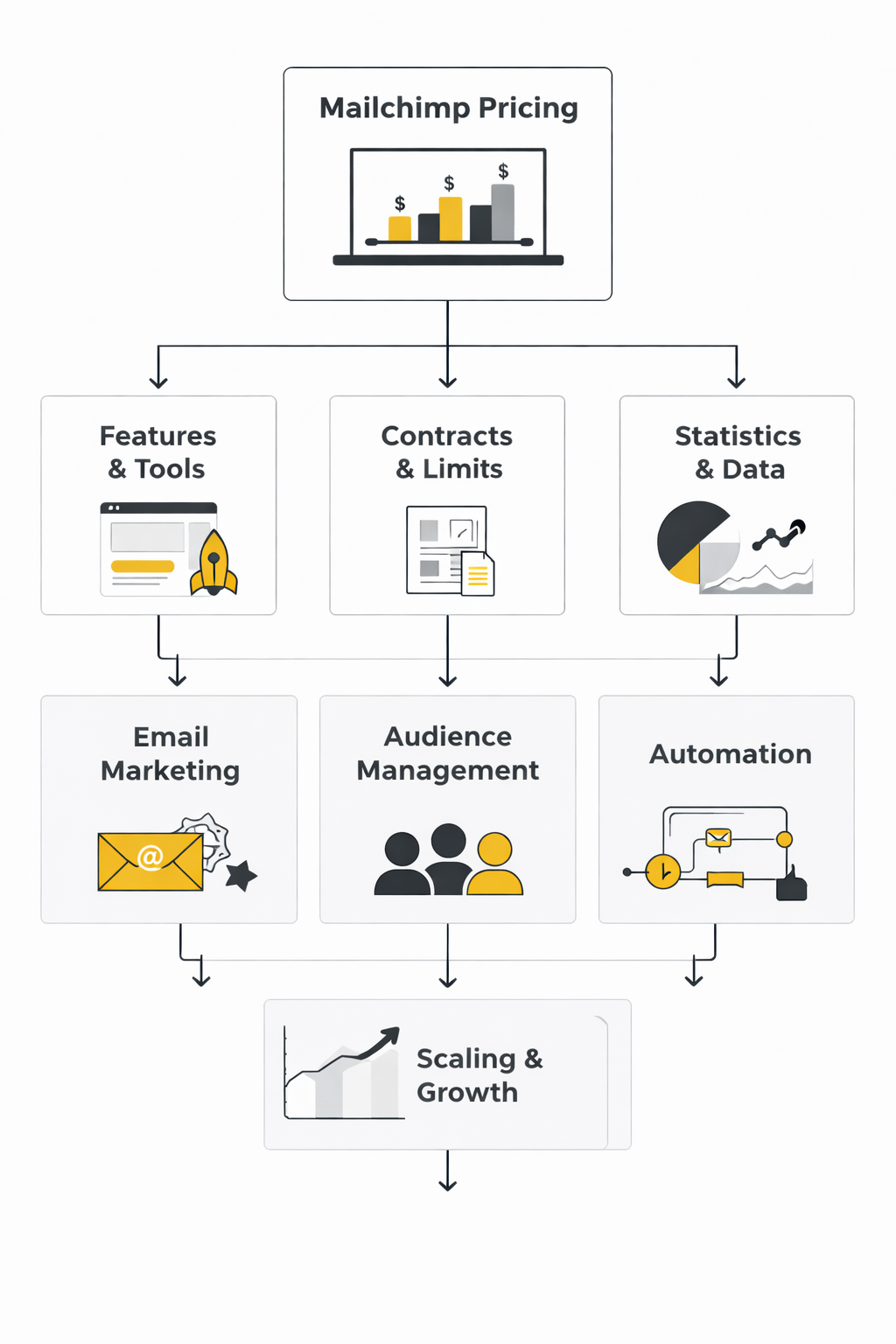
The cleanest way to understand Mailchimp pricing is to think in layers. First, you choose a plan based on features. Then, if you pick a paid marketing plan, you choose a contact tier, and that tier sets both your base monthly price and your sending allowance. Mailchimp states that Essentials includes 10 times your contact limit in monthly email sends, Standard includes 12 times your contact limit, and Premium includes 15 times your contact limit.
That framework is useful because it explains why two businesses on the same named plan can pay very different amounts. A company with 500 contacts on Standard will not pay what a company with 25,000 contacts on Standard pays, even though both technically use the same plan. Mailchimp also notes that the base price includes 500 contacts for Essentials and Standard, while Premium pricing starts from a 10,000-contact tier and can move into custom pricing for very large lists.
The final layer is what sits outside the core marketing plan. If you exceed limits, Mailchimp can charge add-on contact blocks instead of immediately interrupting service. If you need infrequent sending, there is still a Pay As You Go option in some regions. If your stack includes ecommerce recovery emails, account alerts, or order confirmations, Mailchimp Transactional is billed separately in 25,000-email blocks starting at $20 per block. Once you see those layers together, the whole pricing model starts to make much more sense.
Breaking Down the Free, Essentials, Standard, and Premium Plans
At this point, the smartest way to evaluate Mailchimp pricing is plan by plan. The sticker price only tells part of the story, because each tier changes your contact ceiling, your email sending allowance, your automation depth, your support options, and how many people can work inside the account. When you line those pieces up side by side, the gap between “good enough for now” and “actually right for the business” becomes a lot easier to see. Mailchimp+3
Free Plan
The Free plan is a real starting point, but it is not built for serious scale. Mailchimp says it includes up to 250 contacts, 500 monthly sends, a 250-email daily send cap, one audience, one user seat, basic templates, basic reporting, an abandoned cart email, and a one-click welcome automation. That is enough to test the interface, publish a few campaigns, and get a small list off the ground, but it gets tight fast once you need more segmentation, more testing, or just more room to send consistently. Mailchimp
The main thing to understand is that Free is designed to limit complexity as much as cost. Once you go over the 250-contact limit, Mailchimp can place a hold on live and test sending until you either reduce contacts or upgrade. So for a creator, freelancer, or very early-stage brand, the Free plan works best as a short runway, not as a long-term operating system for email marketing. Mailchimp
Essentials Plan
Essentials is where Mailchimp pricing starts to feel like a real business tool instead of a product demo. The plan starts at $13 per month for up to 500 contacts, supports up to 50,000 contacts, and gives you a monthly send limit equal to 10 times your contact limit. It also expands the account to three audiences and three seats, which matters more than many teams expect once marketing stops being a one-person job. Mailchimp+1
Feature-wise, Essentials is the first tier that makes routine campaign work smoother. You get all Mailchimp email templates, A/B testing, scheduled emails, single-step automations, automation flows with up to four steps, email and chat support, and access to the SMS add-on where available. That makes Essentials a practical fit for smaller companies that send often, want cleaner branding, and need a modest automation setup without paying for the more advanced intelligence inside Standard. Mailchimp+1
Standard Plan
Standard is the plan Mailchimp pushes hardest, and for a lot of growing businesses that makes sense. It starts at $20 per month for up to 500 contacts, raises the monthly send allowance to 12 times your contact limit, supports up to 100,000 contacts, and adds five audiences plus five seats. That combination gives teams more room to scale both list size and workflow complexity without immediately jumping into enterprise pricing. Mailchimp+1
The bigger jump is in capability, not just capacity. Standard adds expanded automation flow capabilities, flow templates, advanced segmentation, pre-built segments, multivariate testing, custom-coded email templates, custom reporting, personalized onboarding, and the SMS add-on with MMS in supported markets. Mailchimp also highlights that businesses on this tier can access features tied to stronger commercial performance, including the automation framework behind its claims around higher orders and revenue from automated flows, which helps explain why Standard is usually the real comparison point when someone is evaluating Mailchimp pricing against tools like Brevo or Moosend. Mailchimp+2
Premium Plan
Premium is where Mailchimp pricing shifts from growth software into high-volume infrastructure. The public offer currently starts at $297.50 per month for the first 12 months, then $350 per month, for up to 10,000 contacts, with a monthly send limit set at 15 times your contact limit. Mailchimp says Premium can store up to 200,000 contacts on standard tiers, and brands above that threshold can move into customized plans. Mailchimp+2
This tier is less about getting “a few more features” and more about operating at scale with fewer internal bottlenecks. Premium includes unlimited audiences, unlimited seats, extended onboarding, phone support, cobrowse screen-share support, 24/7 email and chat support, and broader support for larger team structures. For bigger ecommerce brands, publishers, and multi-brand operators, that can justify the jump, but for most smaller businesses the gap between Standard and Premium is only worth paying when the team genuinely needs the scale, support model, or governance that Premium is built to handle. Mailchimp+1
Which Tier Gives the Best Value
For most readers looking into Mailchimp pricing, the real decision is not Free versus Premium. It is Essentials versus Standard. Essentials is cheaper and covers the basics well, but Standard is the tier where Mailchimp starts to feel meaningfully more powerful because automation, segmentation, testing, reporting, and onboarding all become more serious. Mailchimp+2
That is why the cheapest plan is not always the lowest-cost decision. If Standard helps a team run better automations, identify stronger segments, and test campaigns more intelligently, the added monthly fee can be easier to justify than it first appears. But if you are mostly sending newsletters, promotions, and simple sequences to a smaller list, Essentials can still be the better buy because it gives you the core pieces without pushing you into a feature set you will not use often enough to matter.
The Hidden Costs That Catch People Off Guard
At this point, most people understand the visible part of Mailchimp pricing. You choose a plan, select a contact tier, and pay a monthly subscription. What surprises many businesses is that the real cost of Mailchimp is often shaped by operational habits rather than by the advertised base price.
Several pricing mechanics can quietly push the bill higher. The platform charges based on the number of contacts stored in your account, not just the number of active subscribers you email regularly. Mailchimp’s own billing documentation explains that contacts can still count toward your limit even if they are unsubscribed or inactive until they are archived or deleted. This means a list that has grown for years without cleanup can easily double the contact tier you actually need. Mailchimp’s contact management guide explains how archived contacts are removed from billing calculations, which is why list hygiene matters financially, not just for deliverability.
Another commonly missed detail is the relationship between contacts and monthly sending allowances. Essentials plans allow monthly email sends equal to 10Ä‚— your contact limit, Standard allows 12Ä‚—, and Premium allows 15Ä‚—. When campaigns, automation flows, and transactional messages combine, it is possible to exceed the monthly send allocation, which triggers additional charges or forced upgrades to a higher contact tier. Those mechanics are described directly in the platform’s pricing overview at Mailchimp’s official pricing help page.
There are also operational costs that are not technically part of the core plan but still impact total spend:
- SMS marketing add-ons, which are priced separately depending on region and volume.
- Transactional email blocks, sold in packages starting at 25,000 emails.
- Extra audiences, which can increase the effective contact count if the same person exists in multiple audiences.
- Additional contact blocks when a list grows past the current plan tier during a billing period.
For growing companies, these details can shift the economics dramatically. A marketing team might start on a $20–$30 monthly plan and then realize the real monthly cost becomes several times higher once automation, transactional sends, and a larger audience are involved. Understanding these variables early is one of the simplest ways to control Mailchimp pricing long term.
How to Choose the Right Plan for Your Business
Choosing a Mailchimp plan should not start with the cheapest option. It should start with the structure of your marketing operation. The question is not “Which tier is cheapest today?” but “Which tier will still make sense when the list grows, campaigns become more frequent, and automation starts driving real revenue?”
A simple framework helps clarify the decision.
Step 1: Estimate Your Real Contact Count
Most businesses underestimate this number. Contacts include subscribers, unsubscribed contacts, and non-subscribed contacts unless they are archived or deleted. If your CRM, ecommerce store, and lead capture tools feed into Mailchimp, the real total can climb faster than expected.
A practical approach is to review the total number of active contacts plus a buffer for expected growth over the next six to twelve months. Email marketing benchmarks show that list growth can vary widely, but active marketing programs regularly see steady expansion through lead magnets, ecommerce purchases, and content marketing.
Step 2: Map Your Email Volume
Next, estimate how many emails the business actually sends each month. That includes:
- Regular newsletters
- Promotional campaigns
- Automated sequences
- Cart abandonment flows
- Transactional emails
Once you know the total monthly volume, compare it with the send allowances tied to each Mailchimp pricing tier. This step alone often reveals whether Essentials or Standard will hold up once automation expands.
Step 3: Identify the Automation Depth You Need
Automation is where the real difference between plans becomes obvious. Essentials supports basic sequences and simple automation steps. Standard supports more complex automation flows, advanced segmentation, and better reporting.
Businesses that run structured funnels, product launches, or ecommerce lifecycle campaigns usually reach the limits of Essentials faster than expected. Teams building structured marketing funnels often prefer platforms that combine email automation with funnel builders such as ClickFunnels or all-in-one marketing systems like Systeme.io, especially when they want landing pages, funnels, and email sequences inside a single workflow.
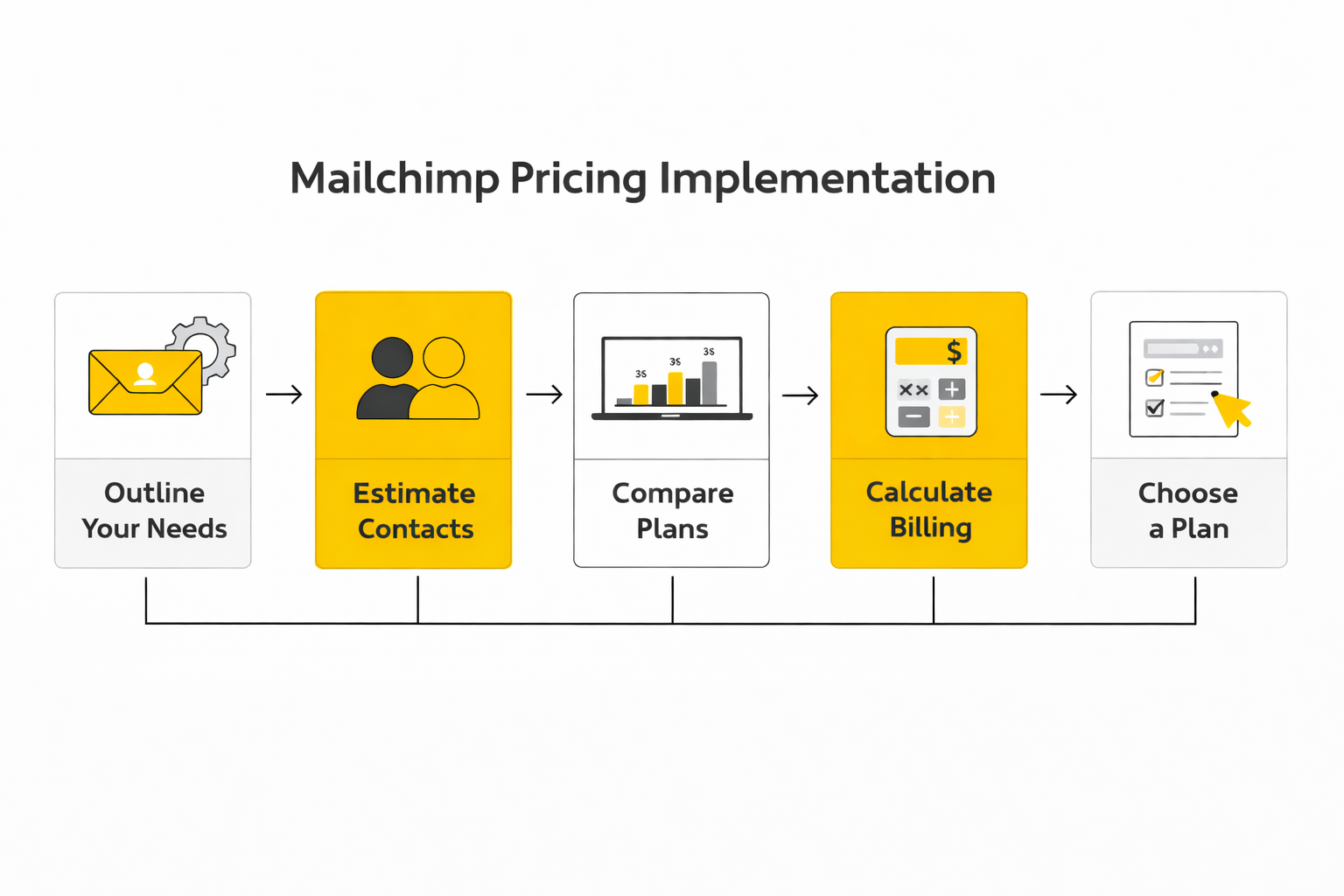
Step 4: Build a Cost Model Before You Commit
The implementation step most businesses skip is a simple cost forecast. Instead of choosing a plan based on today’s list size, calculate what the pricing tier will look like after growth.
A quick projection usually includes:
- Current contact count
- Expected growth over the next year
- Estimated monthly email volume
- Automation needs
- Potential transactional sends
Once those numbers are clear, the long-term Mailchimp pricing becomes much easier to evaluate. In many cases the Standard plan becomes the most practical balance between cost and functionality, because it allows more automation and segmentation while still staying far below enterprise-level pricing.
Step 5: Build the System, Not Just the Email Tool
Email marketing rarely operates alone anymore. Most companies combine it with landing pages, social scheduling, automation tools, and CRM systems. That is why implementation should consider the broader stack rather than just the email platform.
For example, some teams combine Mailchimp with social scheduling tools like Buffer to coordinate content promotion across email and social channels. Others choose platforms like Brevo or Moosend when they want email marketing integrated with CRM, SMS, and automation inside one system.
When the full marketing stack is planned intentionally, Mailchimp pricing becomes just one component of a larger, more efficient growth engine rather than a recurring cost that slowly expands without explanation.
Email Marketing Data and Benchmarks That Actually Matter
When evaluating Mailchimp pricing, it is not enough to look at subscription cost alone. The real question is whether the platform generates enough performance to justify the monthly spend. That is where analytics and benchmarks become critical, because email marketing only makes sense when the results clearly outweigh the platform cost.
Email remains one of the strongest performing marketing channels in digital marketing. Industry research summarized by Litmus email marketing ROI reports consistently shows businesses generating an average return around $36 for every $1 spent on email marketing. That level of performance explains why companies are willing to invest in platforms like Mailchimp even as their pricing tiers increase with list growth.
But the raw ROI number does not tell the whole story. The key metrics that determine whether your Mailchimp pricing is justified are open rates, click-through rates, conversion rates, and subscriber lifetime value. Those metrics show whether your list is healthy and whether your campaigns are generating real business results rather than just engagement vanity metrics.
The Core Metrics Every Mailchimp User Should Track
Email marketing analytics should focus on signals that directly affect revenue and subscriber quality. The following metrics matter far more than the total number of emails sent.
Open Rate
Open rate measures how many recipients open your email relative to how many received it. Industry benchmark studies compiled by Mailchimp’s own email marketing benchmark reports show that average open rates across industries often fall between 20% and 40%, depending on audience quality and industry type.
A healthy open rate tells you three things:
- Your subject lines are working.
- Your domain reputation and deliverability are strong.
- Your list contains people who still want to hear from you.
If open rates fall consistently below benchmarks, the problem is usually list fatigue, poor segmentation, or sending too frequently.
Click-Through Rate (CTR)
Click-through rate measures how many recipients clicked a link in your email. This metric reveals whether the message actually motivates action. Many industry studies summarized in marketing benchmark reports show that email CTR commonly ranges between 2% and 5%, depending on the campaign type.
Low CTR despite strong open rates usually means the content is not aligned with subscriber intent. This is where segmentation, automation flows, and personalization — features that appear in higher Mailchimp pricing tiers — start to produce measurable value.
Conversion Rate
Conversion rate is the most important metric if the goal of email is revenue. It measures how many email clicks lead to a purchase, signup, or other target action. Conversion performance varies widely by industry, but ecommerce lifecycle emails such as abandoned cart sequences regularly outperform broadcast campaigns.
Automation sequences are especially powerful here. Research summarized by Omnisend lifecycle email studies shows that automated emails generate significantly higher conversion rates than bulk campaigns because they arrive at the exact moment a customer is ready to act.
List Growth Rate
List growth rate measures whether your email audience is expanding faster than it shrinks. Every list naturally loses subscribers due to inactivity, spam complaints, or changing interests. A healthy email program consistently adds more subscribers than it loses.
If growth slows or reverses, the problem is rarely the email platform itself. The issue usually sits earlier in the funnel — weak lead magnets, poor landing pages, or limited traffic sources. Businesses solving that problem often combine email marketing with funnel builders such as ClickFunnels or all-in-one platforms like Systeme.io to capture leads more effectively.
How Mailchimp Analytics Fits Into the Measurement System
Mailchimp provides built-in reporting dashboards designed to track these signals. Campaign reports include open rates, clicks, unsubscribes, bounce rates, and comparative performance across campaigns. Higher-tier plans expand this reporting capability with advanced segmentation analysis and custom reporting tools.
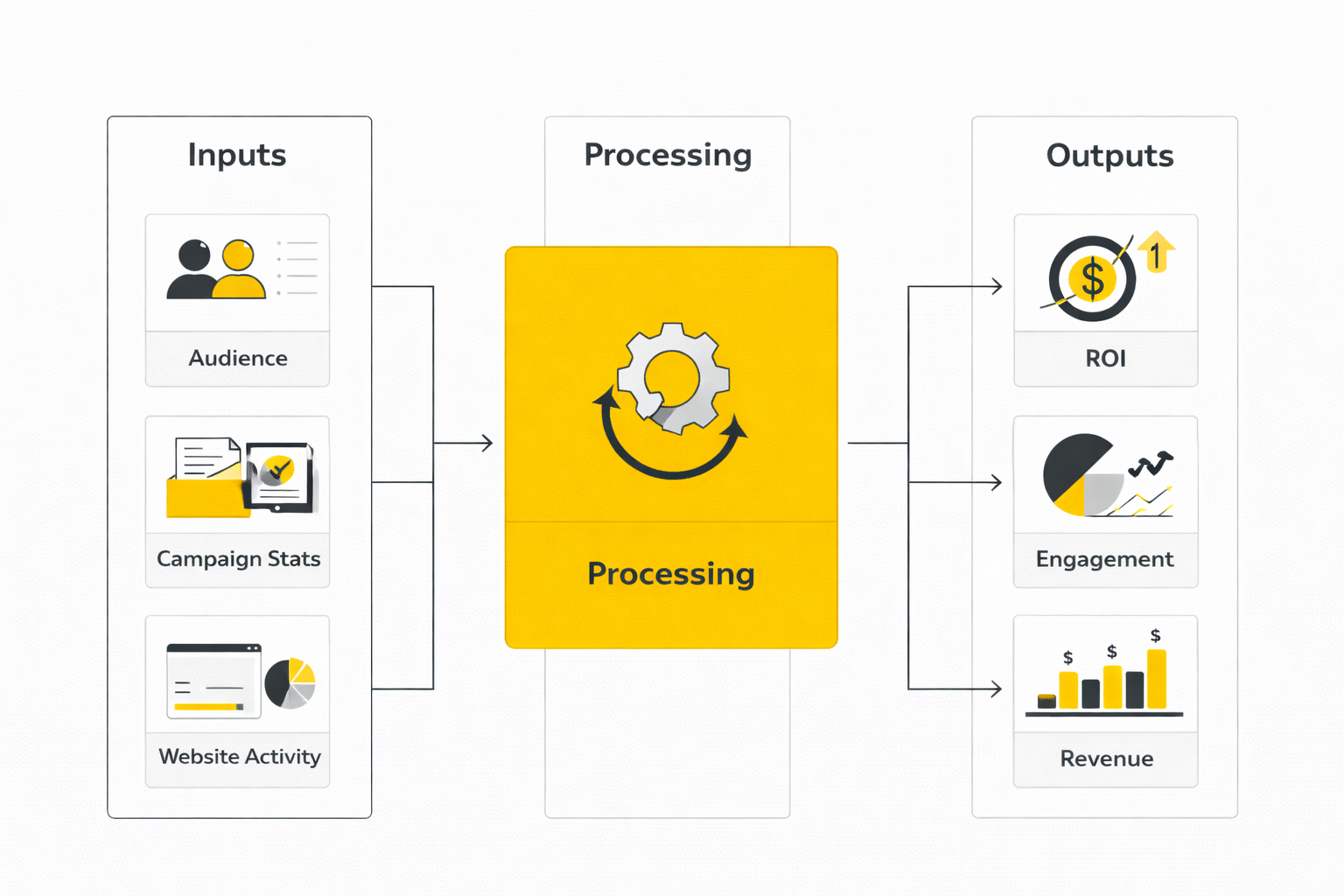
The analytics workflow typically follows a simple process:
- Launch a campaign or automation sequence.
- Track open rate and click-through rate within the first 24–48 hours.
- Monitor downstream conversion metrics from your website or ecommerce platform.
- Compare campaign performance with previous sends and industry benchmarks.
- Adjust segmentation, timing, and subject lines for the next campaign.
This process turns email marketing into a continuous optimization system rather than a broadcast tool. Over time, the analytics reveal which subscriber segments respond to certain topics, which offers convert best, and which automation flows drive the most revenue.
What the Data Should Actually Change
Analytics only matter if they change behavior. Too many teams review email metrics without adjusting strategy, which turns reporting into a dashboard exercise rather than a growth engine.
When the data shows weak open rates, the priority becomes improving subject lines, sender reputation, and segmentation. When clicks are low, the focus shifts to stronger calls-to-action, better email layout, and clearer value propositions. When conversions are weak despite strong clicks, the problem is usually the landing page or sales funnel rather than the email itself.
Understanding this relationship between cost and performance is what ultimately defines whether Mailchimp pricing is worth it. If campaigns consistently generate leads, customers, or revenue, the monthly fee becomes a small operating cost. If performance metrics remain weak, the solution is rarely switching tools immediately. The real fix is improving targeting, messaging, and funnel structure so the data starts moving in the right direction.
Mailchimp Alternatives and Final Buying Advice
The deeper you get into Mailchimp pricing, the more the decision stops being about features and starts being about economics. Mailchimp is not unusually confusing once you learn the rules, but it can become expensive when your contact database grows faster than your actual engagement. That tradeoff matters because Mailchimp prices paid marketing plans around contact tiers and monthly send allowances, while some competitors structure pricing around email volume instead of stored contacts. Mailchimp’s pricing page and Brevo’s pricing page make that difference very clear.
That distinction changes the math for different business models. If you run a newsletter with a compact, highly engaged list, Mailchimp pricing can still be perfectly reasonable because you are paying for a focused audience that actually generates results. If you run a lead-generation business, a media property, or an ecommerce brand with a large database full of older contacts, the contact-based model can become less attractive because stored records can keep pushing you into higher pricing tiers even when only a fraction of the list is actively buying or clicking. Mailchimp’s additional charges guide explains that archived and cleaned contacts do not count toward the limit, which is useful, but it also confirms how important active contact management is to cost control.
When Mailchimp Stops Being the Obvious Choice
Mailchimp usually starts losing its pricing advantage when scale introduces friction. One point of friction is list sprawl. Another is when your team needs broader functionality across email, CRM, landing pages, forms, and automations, but does not want to pay for multiple tools stitched together. That is where the platform comparison becomes strategic instead of tactical. Mailchimp’s plan comparison page shows strong marketing features, but it also shows that capabilities expand by tier, which means feature access and price rise together.
Brevo changes that equation because it prices primarily by monthly email volume while allowing contact storage at scale, including a free plan with 100,000 contacts and 300 emails per day, and paid tiers starting from 5,000 monthly emails. For businesses with big databases and moderate send frequency, that can be a radically different cost structure from Mailchimp pricing. It also gives companies email, SMS, transactional messaging, forms, and sales features inside one broader system, which can reduce stack complexity if that is the real bottleneck. Brevo’s pricing page and Brevo’s pricing help article both support that positioning.
Moosend pushes the comparison in a different direction. Its pricing page highlights unlimited email sends on its paid plan and a 30-day trial with up to 1,000 contacts, which can make it appealing for teams that want more predictable sending economics without immediately stepping into enterprise costs. That does not automatically make it better than Mailchimp, because platform fit still depends on integrations, usability, reporting depth, and internal process, but it does make the comparison worth running before you lock yourself into a higher contact-based bill. Moosend’s pricing page shows the unlimited-send angle clearly.
The Real Strategic Tradeoff
The mistake many businesses make is comparing tools only on headline price. That is not enough. The better question is this: what are you actually buying with the higher monthly bill? If Mailchimp’s Standard plan helps your team build better automations, stronger segmentation, and cleaner reporting, then the extra cost may be justified because the platform is improving outcomes, not just adding overhead. Mailchimp’s plan documentation shows that Standard expands automation flows, segmentation, and reporting in ways that can matter a lot once email becomes a revenue channel rather than a simple newsletter tool.
The opposite is also true. If your team is paying for Standard or Premium but mostly sends basic campaigns, the problem is not that Mailchimp pricing is unfair. The problem is that the business is overbuying capability it does not use. In that case, switching to a simpler platform such as Brevo or Moosend may be less about saving a few dollars and more about aligning cost structure with real behavior.
There is a broader stack question here too. Some businesses do not just need an email platform. They need lead capture, landing pages, funnel logic, sales steps, forms, and post-opt-in automation in one flow. When that is the real operational need, the pricing discussion naturally expands beyond Mailchimp itself toward systems like ClickFunnels or Systeme.io, because the cost of using separate tools can quietly exceed the savings from choosing a cheaper email app. That is not a universal answer, but it is a real one for businesses running funnel-heavy customer acquisition.
Risks That Show Up Only After You Scale
The biggest risk with Mailchimp pricing is not the first invoice. It is what happens six or twelve months later when your list has grown, your automations are multiplying, and your team realizes the billing model is now shaping marketing decisions. At that stage, companies sometimes hesitate to clean their database aggressively, consolidate audiences, or test broader acquisition campaigns because they are trying to control contact growth as much as they are trying to grow revenue. That is a subtle but important warning sign, because your email platform should support strategy, not distort it. Mailchimp’s contact and billing documentation and additional charges guidance both point to how much account hygiene affects cost.
There is also switching risk. The longer you wait, the more automations, templates, forms, segments, and internal processes become tied to one platform. That makes migration harder, even when the economics are no longer ideal. So the best expert-level move is not to panic-switch. It is to audit the account early, clean contacts regularly, forecast what the next pricing tier will cost, and compare that number against realistic alternatives before the decision becomes urgent. Mailchimp’s pricing overview, Brevo’s pricing model, and Moosend’s pricing page give enough public data to make that comparison without guessing.
The practical takeaway is simple. Mailchimp pricing is easiest to justify when your list is clean, your segmentation is intentional, and your team actively uses the features included in the tier you pay for. It becomes much harder to justify when bloated contact storage, light feature usage, and scattered systems are doing most of the work behind the scenes. That is the line experienced operators watch closely, because once you see it, you can make a smarter decision before the bill makes it for you.
The Email Marketing Ecosystem Behind Smart Pricing Decisions
By the time a company reaches the stage where Mailchimp pricing becomes a serious line item in the budget, email marketing rarely exists alone. It sits inside a broader ecosystem that includes lead generation, CRM systems, analytics tools, landing page builders, ecommerce platforms, and automation workflows. Understanding this ecosystem is the final piece that helps businesses evaluate whether their email platform is truly delivering value.
Modern marketing systems typically follow a layered structure. Traffic flows from search, social media, or paid advertising into landing pages or signup forms. Leads enter the email platform, where segmentation, automation, and campaign management begin. Analytics tools then track engagement, conversion behavior, and long-term customer value. Platforms like Mailchimp fit directly in the middle of that system, acting as the communication engine that turns traffic into relationships and relationships into revenue.
When the ecosystem works well, every part reinforces the others. Traffic campaigns feed new subscribers into the database. Automation sequences nurture those subscribers. Campaign analytics reveal which messages generate the most engagement. Over time, the system becomes more efficient because each layer produces data that improves the next campaign.
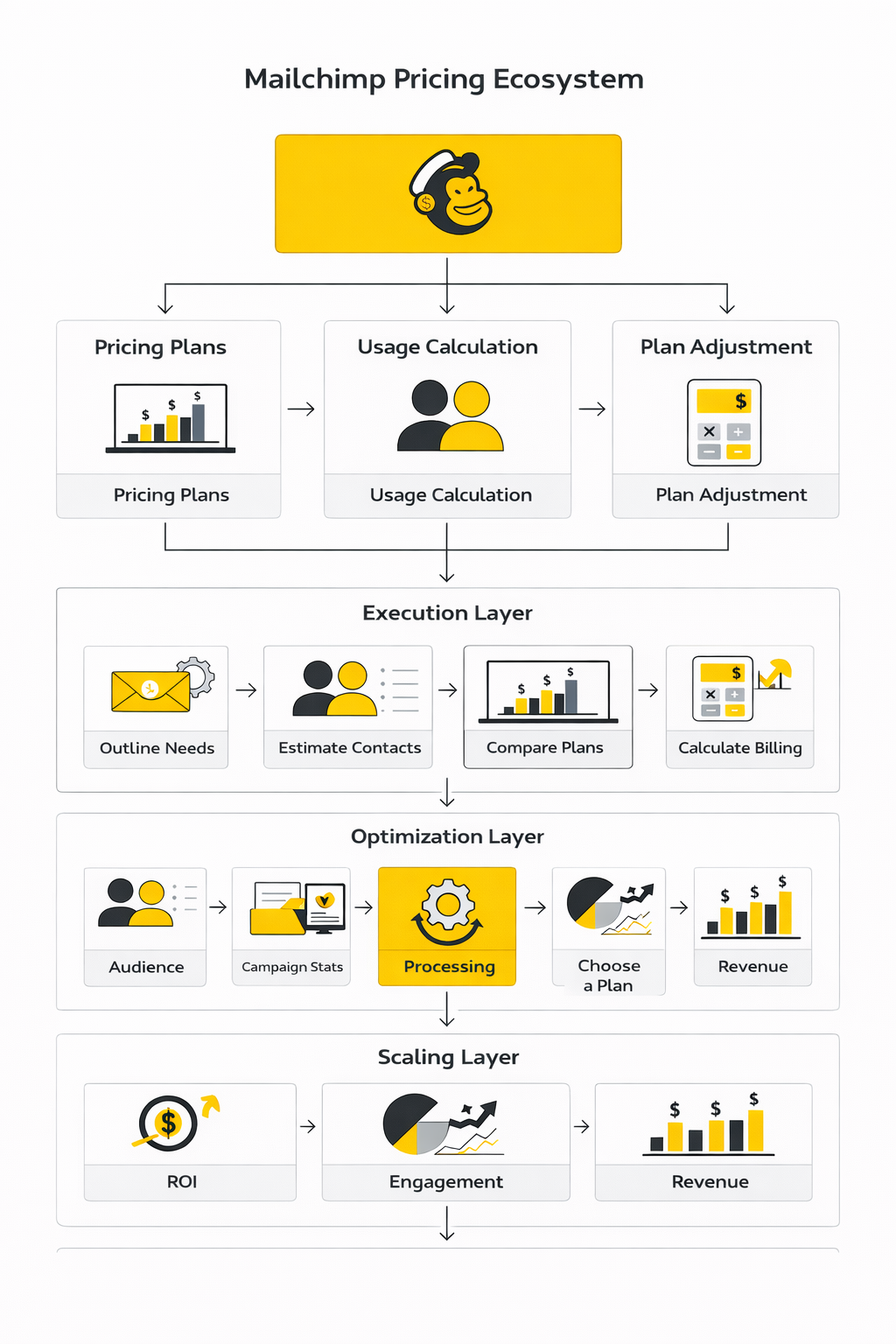
The real takeaway is that Mailchimp pricing should never be evaluated in isolation. It is only one component of the full marketing stack. When the surrounding systems are strong — good landing pages, strong lead magnets, clear segmentation, and reliable analytics — the cost of the platform becomes small relative to the value it creates.
That is why experienced marketers rarely choose tools based only on monthly subscription price. They choose tools based on how well the entire system works together.
FAQ - Built for Complete Guide
What does Mailchimp pricing actually depend on?
Mailchimp pricing is primarily based on two factors: the number of contacts stored in your account and the marketing plan you choose. Paid plans increase in price as your contact database grows, while higher tiers unlock additional features such as automation flows, segmentation, advanced reporting, and support options.
Is Mailchimp free forever?
Mailchimp offers a Free plan, but it has strict limits. It supports up to 250 contacts and 500 monthly email sends with a daily cap. Once your list grows beyond that threshold or you need advanced automation features, you must upgrade to a paid plan.
How much does Mailchimp cost per month?
Mailchimp pricing changes depending on your plan and contact count. Essentials plans start around $13 per month for 500 contacts, while Standard plans start around $20 per month. Premium plans begin around $350 per month for larger contact tiers and advanced features.
Why does Mailchimp pricing increase as my list grows?
Mailchimp uses a contact-based billing model. This means the platform charges based on the number of contacts stored in your audience database rather than purely on the number of emails you send. As your list grows, your plan automatically moves into higher contact tiers.
Do unsubscribed contacts count toward Mailchimp pricing?
Unsubscribed contacts can still count toward your contact limit unless they are archived or deleted. Mailchimp’s contact management documentation explains that archiving unused contacts is one of the most effective ways to keep costs under control.
Is Mailchimp worth the price for small businesses?
Mailchimp can still be a strong option for small businesses that want a well-known email platform with solid automation tools and templates. However, businesses with very large contact lists sometimes compare Mailchimp pricing against platforms like Brevo or Moosend, which offer different pricing structures.
What is the biggest mistake businesses make with Mailchimp pricing?
The most common mistake is allowing contact lists to grow without cleaning inactive subscribers. Storing thousands of inactive contacts can push an account into a higher pricing tier without increasing campaign performance.
Can Mailchimp handle large-scale marketing automation?
Yes. Higher tiers such as Standard and Premium support advanced automation flows, segmentation, reporting, and multi-user access. These features allow companies to run complex lifecycle campaigns, ecommerce automations, and targeted email sequences.
Should I use Mailchimp with other marketing tools?
Most businesses do. Email marketing often works alongside social scheduling tools, CRM platforms, landing page builders, and analytics systems. This integrated stack helps marketers track the entire customer journey rather than just email engagement.
What should I evaluate before choosing an email marketing platform?
Before committing to any email platform, evaluate your expected contact growth, automation requirements, email sending volume, and integration needs. Comparing those factors across several tools helps ensure that your marketing system remains efficient as the business scales.
Is Mailchimp the best platform for building funnels?
Mailchimp focuses primarily on email marketing and automation. Businesses that rely heavily on funnel-based customer acquisition sometimes pair it with funnel builders such as ClickFunnels or integrated marketing systems like Systeme.io.
How often should I review my Mailchimp pricing plan?
Reviewing your plan every three to six months is a good practice. This helps you verify that your contact tiers, automation needs, and sending limits still match your marketing strategy.
Work With Professionals
Explore 10K+ Remote Marketing Contracts on MarkeWork.com
Most marketers spend too much time chasing clients, competing on crowded platforms, and losing a percentage of every project to middlemen.
MarkeWork gives you a better way. Browse thousands of remote marketing contracts and connect directly with companies desperate to hire skilled marketers like you, without platform commissions and without unnecessary gatekeepers.
If you're serious about finding better opportunities and keeping 100% of what you earn, explore available contracts and create a profile for free at MarkeWork.com.